Preparing a computer for drone simulators
Check the OS, GPU, drivers, disk space and environment before installing, and record the test results

Start with your own computer
This page is a guide for checking your machine, not an automatic spec reader, and it does not assume that readers already have the software installed. Note the OS version, CPU, RAM, GPU/VRAM, drivers and free disk space before comparing them with the requirements of the chosen simulator.
On Windows, look at Settings → System → About and Task Manager → Performance; on Linux, look at the distribution's system information page and the GPU information from the vendor's tools. Keep only the information needed for the experiment; there is no need to publish the computer name or device serial numbers.
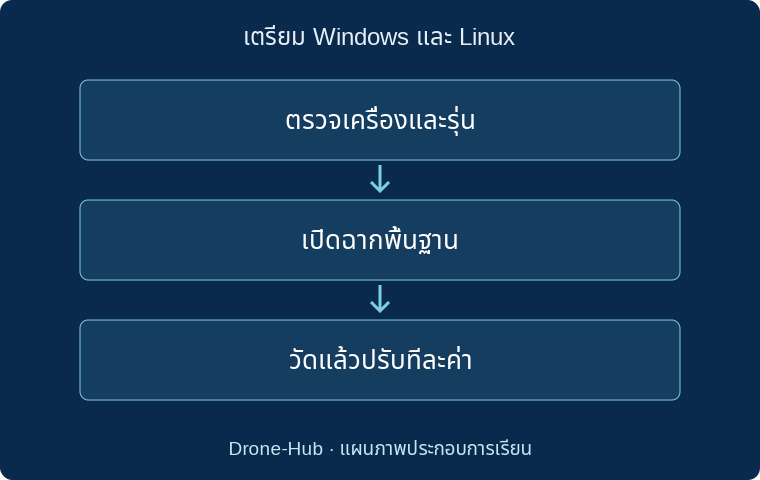
Two installation routes
| System | Starting approach | What to check |
|---|---|---|
| Windows | Simulators with an official installer or store supporting Windows | OS/driver versions and whether the USB joystick is detected |
| Linux | Choose the Ubuntu version and simulator according to the upstream guide | Dependencies, compiler, GPU and device access permissions |
| Windows + WSL2 | Treat it as a separate additional Linux environment layer | Display, networking and USB must be tested separately |
Do not mix Gazebo Classic guides with newer Gazebo releases. The PX4 and ArduPilot plugin documentation each have their own supported version sets. Choose one set and record it before you start.
Make experiments measurable
Open the same sample scene, lower the graphics quality first and then raise it. Record the resolution, graphics quality, flight time and stuttering. Distinguish FPS, which describes rendering, from the real-time factor, which describes how fast simulated time runs compared with the real world.
Repeat three times following the same plan. If the machine lags, reduce the scene, sensors or graphics quality one at a time. The learning criterion is being able to say what you changed and how the result changed; spec numbers alone are not used to decide a “pass”.
Download the environment record form and start the training plan
Bibliography and original sources
Documents checked on 23 September B.E. 2569 (2026)