Searching for victims with RGB and thermal imagery
Read visible and thermal images together, understand the limitations of obstructions, and pass points of interest on for confirmation
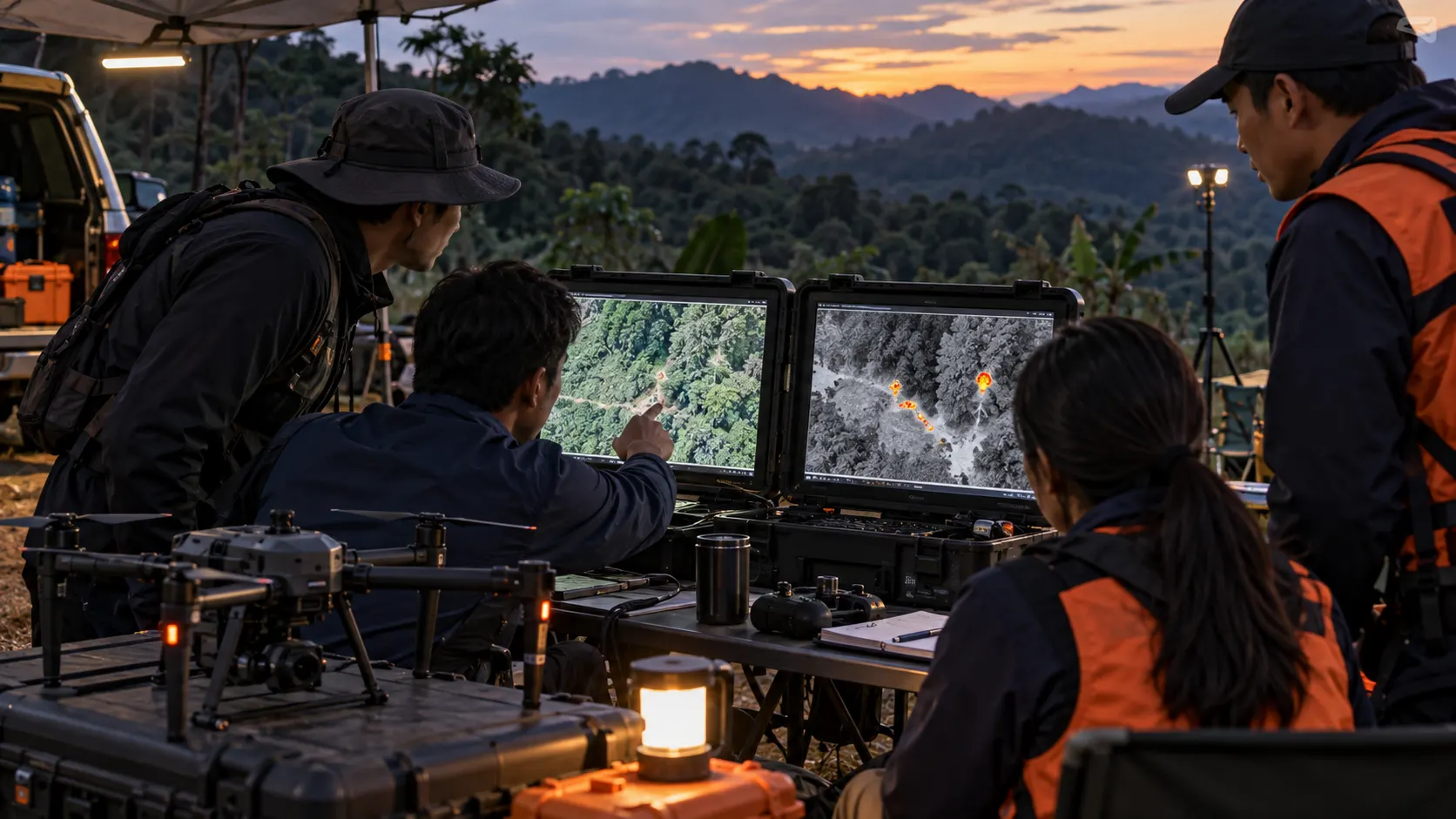
Practice defining scope and points that need re-review with M07
M07 Search Support has the routes B Write a request summary, O Allocate resources, queues, and handoffs and D Design requirements and a test plan From the hypothetical case TRAIN-SAR-01, learners separate the search scope whose open portions have been re-reviewed, 2/6 units, from the outstanding work, 4/6 units, and from the count of reference/flag pairs defined by the author: TP=2, FP=1, FN=1, TN=2. The number of units is not a percentage of area or a confirmed result that the area is free of people.
S05 is still included in the label/flag pair calculation even though it is awaiting image re-review. The queue wait is 6 minutes at the snapshot, but there is still no review latency value. No row has the original image or a ground check result. Passing a point of interest on to a team for real operations must go through re-review of the original image and position, with a responsible person and the requested task. Naming a recipient alone is not evidence of receipt, acceptance of the task, or confirmation that a person was found.
Two types of camera provide different information
RGB records visible light images, helping to read shapes, clothing and the surroundings, while a thermal camera shows differences in the thermal radiation the sensor receives. A bright colour on the palette therefore does not always mean 'a person'; sun-heated objects, hot equipment or animals may be points for further checking.
FLIR explains that thermal cameras cannot see through walls but can detect surfaces within their field of view. When a victim is obscured, the absence of a signal in the image therefore does not confirm that nobody is there. Explanation from FLIR
Report points of interest so they can be followed up
Record the image ID, time, context, a position with a stated reference source and the reason for suspicion. If the position is still uncertain, state the uncertainty rather than reporting coordinates more precisely than the evidence supports. Then pass it to the reviewer according to the team's process. Do not automatically publish victims' coordinates on public channels.
| What is found | Appropriate interpretation |
|---|---|
| A person-like shape in RGB | A point to check; not confirmation of a person |
| A hot spot in thermal | There is a signal difference; the context must be examined |
| No hot spot under a roof | The camera does not see the entire interior |
| AI draws no bounding box | The model may have missed something; check according to the search plan |
Measure both false detections and misses
A false positive is reporting something that is not a target, while a false negative is missing a target that is present. Training should record both, including the time spent re-checking and handing over. Do not adjust the threshold merely to make the number of boxes look smaller. Read more basics in the confidence tool
The lesson's illustrations are simulated scenes for learning, not evidence of a camera's detection capability or actual search results.
Diagram to aid understanding
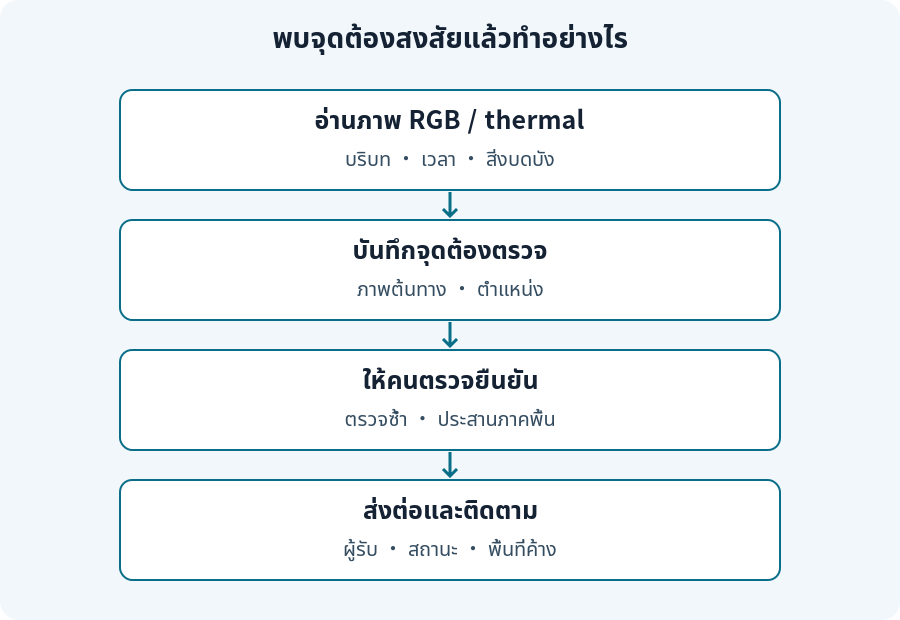
This diagram summarises the concepts of the lesson and accompanies the steps and limitations described above. Click the image to enlarge it.
Try it on a computer
- Use licensed images or practice scenes with known answers, without using real victims' data
- Have two learners read the images independently and record points of interest
- Compare with the answers and count false alarms, misses and items needing further checks
Deliverable: an image review table with reasons and confirmation status
Check: misses can be explained, and not finding anything is not used as evidence that the area is empty
Further study and practice sources
Open related lessons → · Open the scenario exercise kit and downloadable files →
Bibliography and further reading
- FLIR: Can Thermal Imaging See Through Walls?. Retrieved 8 September B.E. 2569 (2026)
- NIST: Aerial Drone Tests. Retrieved 8 September B.E. 2569 (2026)
- ICRC: Humanitarian drones and data protection. Retrieved 8 September B.E. 2569 (2026)
The content and exercises were compiled from the upstream sources above. The photorealistic images are simulated illustrations, not evidence of mission results or equipment test results.
F34: separating coverage from the probability of success
| Variable | Meaning and unit, input → output | Range/source of values |
|---|---|---|
| W_eff | effective sweep width (input) m | ≥0 from experiments matching the target/sensor/conditions; the hypothetical exercise uses 20 m |
| L, A | search track length within the area, and target area (input) m, m² | L≥0, A>0; excludes transit flight to and from outside the area |
| C | search effort per area (output) dimensionless | C≥0, may exceed 1; not the proportion of unique area covered |
| POC, POD_conditional | P(in the area), P(detected given in the area) (input) dimensionless | 0–1; must refer to the same area and search event |
| POS | P(in the area and detected by this search) (output) dimensionless | 0–1; not the probability of survival |
Advanced level · a learning model · Question: how much effort does the search represent, and given the probability of being in the area and the conditional probability of detection, what is the overall probability of success?
C = W_eff L/A; POS = POC × POD_conditional
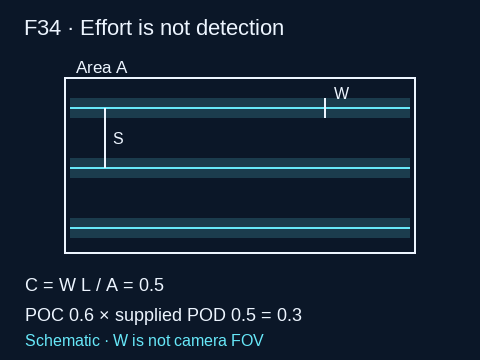
AMSA separates effective sweep width, which reflects detection capability, from track spacing, and defines POD as conditional on the target being in the search area. For an exercise with a rectangular area and uniform parallel tracks, A≈LS, so C=W_eff/S≈W_eff L/A. Another view is the effective swept area divided by A. This value counts overlapping effort; it is not the union area of the camera images.
Let event I = the target is in the area and D = detected by this search. The multiplication rule of probability gives P(I∩D)=P(I)P(D|I) without assuming that I and D are independent, which yields POS as defined above. POC and POD must refer to the same area and search period.
FOV/footprint is not W_eff; if W_eff is unknown, C = unknown; if POD is unknown, POS = unknown. Do not substitute zero or guess POD from C. This lesson does not use POD=1−exp(−C) as a universal formula, and there is no certified UAV table or search termination criterion. Field application still requires detection experiments in the matching context and review by SAR experts.
Worked example
Assume W_eff=20 m, L=1000 m, A=40000 m², giving C=20×1000/40000=0.5 (dimensionless). Then take POC=0.6 and POD_conditional=0.5 as separate hypothetical data, giving POS=0.6×0.5=0.3 or 30%. The POD of 0.5 is not calculated from the C of 0.5; the equality is a coincidence in the exercise.
Exercise: change a value
Change POC to 0.8 while keeping the other data as in the original exercise. What are C and POS?
Open answer F34
C=0.5 as before, and POS=0.8×0.5=0.4 or 40%. A tolerance of ±0.000001 on the 0–1 scale is accepted. If the exercise does not give POD, POS cannot be answered as a number.
References: AMSA NATSAR Manual2026 Version1 Volume2 §4.3.6–9, §4.3.45–52, §4.14.30 (P4A07), OpenStax Introductory Statistics 2e §3.3 conditional multiplication rule (P4A09); checked 26 September B.E. 2569 (2026). All figures are synthetic exercises.
Download the advanced navigation and mission exercise kit (CSV/JSON with answers) · a synthetic model with assumptions and limitations