CPX + Sim
A hub for CPX knowledge, exercise design, and the CPX Sim development plan for rescue missions in which drones take part
Knowledge is ready to read · CPX Sim has begun local prototype development; the multi-party training room is not yet open
CPX development dashboard
Updated · website version 1.18.29
Status from verified development rounds, updated at each release
- Knowledge and templates ready
- 2 phases
- Prototype awaiting rehearsal
- 1 phases
- In the next development plan
- 4 phases
Completed and next plan
Phase 2 is awaiting rehearsal with users, while Phase 3 is under development and local checking; the multi-person training room on the cloud is not yet open
- Completed locally
-
- P3-04c1: private plans and the option to send a plan summary, with support requests
- P3-04c2: owners reserve and return resources, checking quantities, time overlaps and equipment sets
- P3-04c3: review a plan with the data owners, showing shortfalls, excesses and items that cannot yet be checked
- P3-04c4: divide the support-request quantities of a single plan among several parties so that the total does not exceed the need
- P3-04c5: cancel a request, wait for the owner to close it and confirm back before returning the quantities, then request support from a new party
- P3-04c6: check readiness while the centre confirms locally and designate one primary team, with a needs-review status when data changes
- P3-04c7: send confirmed/needs-review status from the centre to the seven roles, showing the latest version each party received, with a web exercise
- P3-04d1: a persistent local synthetic permissions register, revoking permissions before waiting for confirmation, and linking mission review while keeping the primary team and resources
The Phase 3 trial set passed 162 local cases; this is not a cloud test result
- Continue developing
-
- Link pause and recovery to the mission-acceptance cycle while keeping the revocation after data is restored
- Check JWTs and real training permissions, with revocation of connections in the Cloudflare system
- Design and test cross-service decision coordination on Cloudflare
Local mission-acceptance results do not replace the acceptance check of the cloud system
- Awaiting acceptance
-
- Rehearse with users in the seven roles and collect findings
- Test 16 Cloudflare cases, with confirmation of access, data storage and budget limits
- Check the pilot area, map sources and airspace with the responsible parties
The cloud record form for all 16 cases is still NOT_RUN
Prototype evidence 1.16.28: 147 test cases · 11 demos · a full end-to-end trial of 50 steps
Phase 0 · Knowledge and website entryIntroduction to CPX, exercise design, and shared drone/airspace Published
- What exists
- Reading lessons and a CPX entry point separate from DroneSim
- Next work
- Keep content and links matching the verified system
- Conditions to check
- Check the content and navigation when changes occur
Phase 1 · Exercise templates and systemHypothetical roles, the flood cycle, UX/UI and the data contract Used as the foundation
- What exists
- The seven-role template, acceptance criteria, and the Cloudflare/GIS architecture
- Next work
- Identify the real people responsible for rehearsals and access permissions
- Conditions to check
- The hypothetical role names do not yet stand for the names or actual authority of any agency
Phase 2 · Prototype and local training pagesTechnically complete end to end; a task queue and a list of waiting missions have been added Awaiting rehearsal with users
- What exists
- Report → receive message → reserve → plan and resources → one primary team
- Hypothetical layout, airspace, flight reports, mission results, EXCON and AAR
- Next work
- Rehearse with the seven roles, collect findings and fix the important issues
- Conditions to check
- Observations from real users are needed before acceptance. This work has not yet been carried out
Phase 3 · Multi-party training on CloudflareLocal contract checks have begun; the cloud training room is not yet open Local trial
- What exists
- A proposal exists: Durable Objects hold the records, D1 for search/summary, R2 for evidence according to permissions
- P3-01: passed 9 local test cases for hypothetical identities, party records, resubmission and conflicting commands
- P3-02: checks duplicate and out-of-order messages, reconnection, and a pause that waits for every party to confirm, locally
- P3-03: checks data freshness, evidence-read permissions, and recovery of the seven-party baseline while the exercise stays paused
- P3-04a: send new reports and proposals across parties locally, receive messages before reserving, and reject commands from old copies
- P3-04b: send reserve/reject results back to the centre, separating the history of old versions from the current status
- P3-04c1: private plans, choosing to send a summary to the centre, and support requests not yet confirmed
- P3-04c2: owners reserve and return resources, checking time overlaps and equipment sets, sending only the result back to the requester
- P3-04c3: review plans and allocation results with owners, showing shortfalls, excesses and data not yet checkable
- P3-04c4: limit the total support-request quantity per plan version and item, without automatically returning the requested quantities yet
- P3-04c5: close the original request and receive evidence from the owner before returning the quantity once, in order to request support from a new party
- P3-04c6: freeze the source data while the centre checks and records the primary team locally, checking current readiness separately from the history
- P3-04c7: send confirmation and review results as ordered-version messages, with a local seven-party status training page and an exercise from records on the web
- P3-04d1: persistent local synthetic permissions, immediate revocation, keeping the denial after reopening, and reviewing mission acceptance while retaining the primary team and resources
- A plan and a record form of 16 cases for cloud testing; not yet run on Cloudflare
- Confirmed that the user administers trainee permissions and uses the website's existing Cloudflare account
- Next work
- Link pause/recovery, check real identities, and test mission acceptance across Cloudflare services
- Conditions to check
- Define the sign-in method, permission revocation, data storage and budget limits; check the account and the rehearsal results before opening to multiple people
Phase 4 · Multi-unit maps and airspaceFrom a hypothetical layout to an area, data and verified procedures Planned
- What exists
- A GIS template and a prototype of flight proposals/coordination in a hypothetical area
- Next work
- Choose the area and map sources, check usage rights/coordinates, and review with aviation experts
- Conditions to check
- Confirm the template reviewer, the data coverage, and the GIS/airspace criteria
Phase 5 · Linking CrisisLink for trainingUse an adapter and synthetic data for rehearsals Planned
- What exists
- Uses the CrisisLink project documents as the research and design basis
- Next work
- Check the data contract and actor mapping before trial linking to the training system
- Conditions to check
- The system owner confirms permissions, separates environments, and checks resubmission/recovery
Phase 6 · Trial use and preparing for real incidentsMulti-party rehearsals, AARs, and acceptance of the scope of use Next target
- What exists
- The training direction is set first, and conditions for real incidents are prepared separately
- Next work
- Accept jointly with the work owners, fix findings, and define the data/procedures permitted for use
- Conditions to check
- There is not yet any acceptance for real incidents or real victim data
What awaits confirmation before going further
- The seven-role rehearsalParticipants, the rehearsal date, and who collects the findingsPhase 2 acceptance · not yet confirmed
- Access method and trial scopeThe administrator is confirmed and the existing account is used; still to be defined are the sign-in method, permission revocation, data storage, budget limits, and checking the real account permissionsDeploying the Phase 3 test service · not yet confirmed
- Area and airspaceThe flight-template reviewer, the pilot area, the map sources and the usage rightsExpanding Phase 4 · not yet confirmed
See the conditions for Cloudflare, CrisisLink and real use
Before opening a multi-party training room on Cloudflare
Check party separation, data ordering, resubmission, reconnection, permission revocation, cross-party pause–stop, and recovery, together with estimating the cost. The plan uses Durable Objects to hold the records, D1 for search/summary, and R2 for evidence whose permissions are checked. It must still pass the trial set before use
P3-01 local trial with hypothetical identities and missions: checks party separation, current permissions, resubmission, conflicting commands, and the completeness of the records when the old database is reopened. This result must still be checked against the real sign-in system, WebSocket and Durable Objects on Cloudflare
P3-02 adds trials of duplicate and out-of-order messages, reconnection with permissions re-checked, and a pause that waits for every party to confirm. Delivery is not yet mission acceptance. A party that has lost contact is still shown as awaiting a stop confirmation. This result is local evidence; live cross-party mission-status delivery over a real network still has to be checked
P3-03 checks summary data that lags behind the data owner, evidence reads that must check permissions every time, and the local data-recovery set. After data is restored the exercise stays paused, each party must confirm back into the system, and no pending messages are sent automatically
P3-04a trials sending reports and mission proposals from new data across parties locally. Trainees must receive the message and choose to reserve themselves. Incoming data raises the receiving party's data version in order to reject commands that cite an old copy. A reservation is not yet mission acceptance or confirmation that resources are sufficient
P3-04b adds reserve and reject results sent back to the centre locally, separated by team and mission version. A late reply for an old version is kept as history and does not change the status of the new version. A reserved mission stays in the waiting list until the plan and resources are fully checked
P3-04c1 adds a team's private plan, the choice to send a summary to the centre, and support requests to the parties named in the trial set. The data received is still «unconfirmed» and is not certified as the latest version across the system. A request does not mean resources are ready to use
P3-04c2 adds reserving and returning resources by the owner, checking quantities and time overlaps, combining equipment sets with parts, and sending only the result back to the requester. Editing a plan does not return resources by itself. The result received is not yet certified as the latest status across the system
P3-04c3 adds review back to the centre and the resource owners, totalling the amounts found, shortfalls and excesses. Items the owner has already returned are not counted, even if the return message has not yet reached the requester. If data changes or a party cannot be checked, it shows that the check is incomplete. This result is not yet a confirmation of readiness or a choice of primary team
P3-04c4 passed locally: divides the support-request quantities according to the needs of the same plan version. The total requested from several parties must not exceed the quantity needed. It uses a new schema7 trial set. Quantities already requested are not returned when resources are released; cancellation and returning quantities continue in the P3-04c5 set, while readiness confirmation and the local primary team continue in the P3-04c6 set
P3-04c5: The requester cancels the request, the owner stops further allocation and returns outstanding resources before closing the request. Once the requester receives evidence of closure, the quantity is returned once and can be requested from a new party. Delayed or resent messages do not return additional quantities. It uses a new schema8 trial set and does not yet confirm readiness to accept missions
P3-04c6: The centre checks the current plan version and that resources meet every need before confirming, freezing the source data until the result is recorded successfully locally. A mission has one primary team. If data changes or cannot be checked again, the mission must be reviewed and explicitly reopened before changing teams. This approach is not yet a cross-service transaction on Cloudflare
P3-04c7: The centre sends the confirmation result, needs-review status and reopen result to each party. The training page shows the latest version received without letting old messages overwrite a new one. It keeps the existing primary team while awaiting review. There is a local status training page and an exercise from synthetic records on the web
P3-04d1: Checks synthetic permissions from a persistent local register. Someone whose permission has been revoked cannot use the old permission to read data or resend commands even after the system is restarted. Revocation comes before waiting for every party to confirm the version. When a required data source has its permission revoked, the centre must check and send a needs-review result. The primary team and resources remain until a new decision is made. A real sign-in system on Cloudflare is still in the plan
Next work checks identity, pause/permission revocation, recovery, and cross-service decision coordination on Cloudflare. The user administers trainee permissions and uses the website's existing Cloudflare account. The 16-case cloud record form is still «not tested». Opening the training room still requires meeting the conditions for access, data storage and budget limits
- Try the exercise on sending status to each party
- Try the exercise on revoking access and reviewing mission acceptance
- Download the local P3-04d1 trial results (Markdown)
- Download the local P3-04c7 trial results (Markdown)
- Download the local P3-04c6 trial results (Markdown)
- Download the local P3-04c5 trial results (Markdown)
- Download the local P3-04c4 trial results (Markdown)
- Download the local P3-04c3 trial results (Markdown)
- Download the local P3-04c2 trial results (Markdown)
- Download the local P3-04c1 trial results (Markdown)
- Download the local P3-04b trial results (Markdown)
- Download the local P3-04a trial results (Markdown)
- Download the local P3-03 trial results (Markdown)
- Download the local P3-02 trial results (Markdown)
- Download the local P3-01 trial results (Markdown)
- Download the Phase 3 trial plan (Markdown)
- Download the 16 test-case record form (CSV)
From training to CrisisLink and real incidents
Linking begins through an adapter on the training system with synthetic data. Check permissions and actor mapping with the CrisisLink owner before the trial, then rehearse, run AARs, and accept the data and the procedures for real incidents separately
Software test results do not yet replace rehearsal results with users, aviation acceptance, or readiness for real incidents
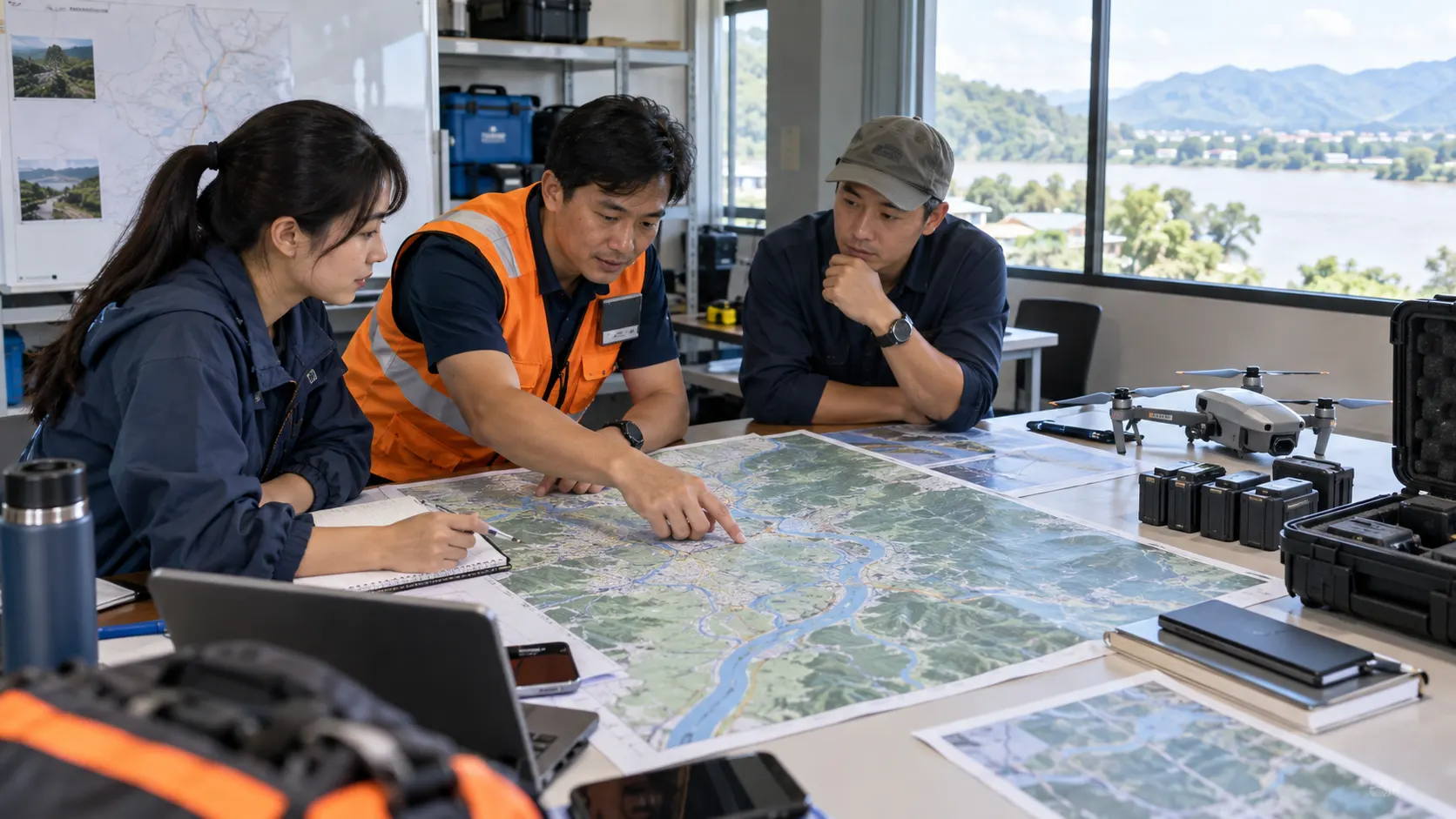
From knowledge to design and rehearsal
Start from the flood and victim-assistance mission, using synthetic data to practise handing over information and making decisions, while preparing the structure to extend to other missions
- Understand the roles and data
- Define the problem and the evidence
- Coordinate drones and airspace
- Track the readiness of the simulator
- 1. CPX and the role of each party
- Know who receives data, decides, and passes results on to whom, together with how to start practising on paper or a test network
- 2. Design a multi-party exercise
- Define the objectives, injects, data recipients, evidence, and the after-action review
- 3. Shared drones and airspace
- Separate accepting a mission from the flight, and coordinate area, altitude, time and constraints between agencies
Exercise: reading mission status by role
An exercise from verified synthetic records, not a live training room
Choose one of the seven roles, then choose a point in the process of one hypothetical mission, to read the status that party actually received in the trial set. Data the centre has sent may not yet have reached the recipient. Confirming a primary team and this check result grants no permission to fly
Loading synthetic records…
Open the local status-delivery trial set for developers
Use the Node.js version stated in the guide. From the project folder, run node tools/cpx-cloud-feasibility/status-workbench-server.mjs .codex/cpx-mission-status-c7 , then open the address http://127.0.0.1:4323/ that the program shows. If the port is busy, add a free port as the second argument, use a new database folder and keep the old round for checking evidence. A single trial facilitator switches between the hypothetical roles and presses each command themselves
Exercise: revoking access and reviewing mission acceptance
An exercise from verified synthetic records, not a live training room
Choose a role and a point in the process to see the result from a synthetic permissions register actually recorded locally. Someone whose permission is revoked cannot read data or make transactions with the old permission, even after restarting the program, but the primary team and resources remain until the coordinator reviews and explicitly reopens the mission
Loading synthetic records…
Read the scope of permission revocation in this set
Three things must be tracked separately: the permissions register rejects the person immediately; the mission review must record and send the new status; and revocation is complete for all targets only when each party confirms the specified version. The confirmation in this set is an observation by the trial facilitator locally, not yet evidence from a network
Revoking one person's permission does not delete an agency; other trainees who hold their own permissions can still work. Data already seen or downloaded cannot be recalled. This exercise is not a real sign-in system and grants no permission to fly
Details of the prototype and the exercise templates
This set uses hypothetical data and areas locally. The multi-party training room is not yet open and CrisisLink is not yet linked for users to try
What Phase 1 has prepared
The template set covers the mission coordinator, two drone units, rescue, the airspace coordinator, EXCON and the evaluator. These are proposed system roles, not a confirmed number of people or agency names
- Define each party's permissions, and separate mission acceptance, airspace coordination results and flight status
- Design the cycle of notification → assign mission → coordinate flight → submit results → review, together with the data each party receives
- Lay out screen templates at the structural level and a data contract that can track version, time, recipient and evidence
- Prepare test criteria before starting the prototype, including resubmission, incomplete data and loss of contact
Prototype scope: starts with two drone units and a hypothetical layout. A real area, map sources and flight procedures must be checked further before using a geographic scenario. Starting development is not an aviation acceptance
The local prototype foundation
Start with records of exercise data separated by party, check that the recorder has the defined role, and keep command results so that retrying a send does not create duplicate entries. Recorded data can be opened for checking after the program is closed and reopened
This set is a local trial tool, with training pages for each role. The phrase 'saved locally' does not mean the recipient has recorded receiving the message. The multi-person network system and the geographic map are in the later development order
Reports, missions and the inbox
The local prototype supports hypothetical-area reports, requests for more information, and proposing missions to two drone teams. Each receiving party has its own evidence of receiving the message and its own reply. A report whose observation time is unknown keeps the status unknown
- Awaiting delivery to the recipient: the message is saved, and the recipient has not yet recorded receiving it
- Message received: there is evidence of receiving the message, but it is not yet counted as accepting the mission
- Reserve to prepare a plan, or reject: the drone team decides on the version it received. A reservation is not yet accepting the mission and does not close the opportunity for other authorised units to help prepare a plan
Handover is currently tested with a local program; there is not yet any transfer over a network or a training room open to use on the web
Mission plan and resources
Start by reserving the current version of the mission to prepare a plan, stating the objective, steps, time window, conditions, backup plan, and the people or equipment needed, then compare the quantities required, confirmed and still missing
- Prepare a plan: state the needs of the mission, both one's own resources and those to be requested as support
- Owner confirms: each party holds its own register and allocates itself. The coordination centre sees only the shared items. Requests not yet confirmed are not counted as ready-to-use
- Check shortfalls: supports partial provision, checks reservations that overlap in time, and prevents double-reserving an equipment set and its components
- Review when the plan is edited: allocations for the old version are not counted for the new plan, but resources are still held until the owner confirms the return
Reserve first, accept the mission when ready
Waiting list → reserve and prepare a plan → check resources / request support → the coordination centre confirms the primary recipient
- Still in the waiting list: a mission that is reserved but has no confirmed primary recipient remains open for other authorised units to prepare plans. Each unit sees the details of its own plan
- Accept when ready: the coordination centre checks the current plan version, reviews the needs, and can confirm one primary recipient when the resources confirmed by the owners fully meet the plan
- Review when readiness changes: when the plan or the mission changes, or resources are returned, it must be reviewed again. The coordination centre explicitly reopens it to the waiting list before letting another unit take over, to prevent a duplicate dispatch
Accepting a mission remains separate from starting operations and coordinating airspace. The prototype checks this cycle through a local program, while the planning page for trainees and the system for starting operations are still in the development order
Readiness in the agency context: having equipment, having skilled users, and being authorised to use it are separate matters. The exercise must check all three, including mobilisation time and arrival at the real site. This round's prototype checks the quantities allocated and records the coordination centre's reviews; it does not yet automatically check personnel qualifications or arrival on site
The hypothetical layout and each party's data
The prototype links reports, missions and the map that a party is permitted to read to areas A/B/C. Data that specifies only an area is still shown at area level, without creating an exact position of its own
- Separate permissions before displaying: an incoming message must have evidence of receipt before it appears; the mission plan belongs to the owning party; and exercise-control data is only with the controller
- Add a note: record a point, line or area frame, with the data source, time and limitations. You can choose to share the note with the parties that need it
- Check the layout coordinates: uses x/y values within the diagram bounds, separate from latitude/longitude and height. They are not used to calculate safe distances or certify routes
Flight proposals and a preliminary airspace check
Each drone team proposes a simulated flight from the current version of the mission plan, stating the area frame, time window, altitude band, and the backup-plan area. The hypothetical airspace coordinator sees the information needed for cross-unit comparison, while the plan details and source reports remain with the owning party
- Check overlaps: compares the area frame, time and hypothetical altitude band, including backup-plan areas and multiple flights of the same unit
- Keep what is not known: altitudes without a shared reference datum cannot be compared. There is no automatic conversion of AGL/AMSL or real units into levels in the layout
- Track versions and gaps: when the mission or plan changes, or resources are returned, the latest reading states the issues that must be reviewed again
This check result must still be reviewed by a person: finding no overlap in the recorded proposals does not mean the airspace is clear. The data used are hypothetical training data and have no effect as a flight authorisation
Constraints, agreements and per-party acknowledgement
- State the data used: the coordinator records the constraints and other-aircraft data with the source, time window and what is not known. Stating that it is complete for the exercise set is the reviewer's confirmation, not a check of real external data
- Check conditions before agreeing: the mission must have a confirmed primary recipient, use the current plan and resources, the data must cover the proposed time window, and the model must have no overlaps or unresolved issues
- Acknowledge the same version: each party named in the agreement records its acknowledgement of its own conditions. If not complete, it shows awaiting acknowledgement. A local acknowledgement is not yet evidence of delivery over a network
- Review when data changes: a change in the constraints, flight, plan or related allocation means the existing agreement must be reviewed. An acknowledgement of an old version cannot substitute for the new one
Example exercise: after the drone team acknowledges the agreement, a rescue helicopter is reported entering the area. The coordinator updates the other-aircraft data, so the existing agreement must be reviewed and the new conditions communicated, without treating pressing 'acknowledge' as resolving the conflict by itself
Flight reports and loss of contact
The team that owns the flight records the reported status: in flight, landed, status unknown, contact lost, or an emergency, with the data source and observation time. The system separates the observation time from the time recorded locally, and still accepts incident reports even when the plan or existing agreement must be reviewed
- See the age and limitations of the data: displays unknown time, old data, a time ahead of the assessment point, or a report that arrived late. The data-age threshold is a value used for display in the exercise set; it is not a safe duration for flight
- Keep the issues that must be checked: the end of the planned time window or a loss of contact does not mean it is counted as landed. A report that has not been reviewed suspends the creation of a new agreement in this training-area prototype
- Review landing evidence: the coordinator checks the latest report and records the evidence and the reasons explicitly. A new report that arrives later reopens the issue for another check. The old agreement does not become usable again by itself
Example exercise: Team A reports contact lost, and later reports that it has landed. The coordinator must still review the evidence. If an in-flight report arrives late, the system keeps both the order of receipt and the observation time for checking, without silently erasing the uncertainty
This set covers training reports and reviews; there is not yet tracking data from a real aircraft or flight-control commands. A landing review is not a declaration that the airspace is clear
Submitting mission results and tracking their use
The drone team submits results that refer to the relevant versions of the mission and the flight, separating what was observed from the assessment, with the observation time, data source, limitations and evidence status. The rescue party and the coordination centre record their own receipt
- Submit results with limitations: state clearly what was found, how it was assessed, and what cannot yet be confirmed. If the evidence is not ready, keep that status. Referring to evidence is not the same as having checked the file
- Separate received from used: after receiving the results, the rescue party records whether it used the results, asked for more information, or did not use them, with the reasons. The coordination centre having received the message does not replace the rescue party's receipt
- Track versions and replies: a revised result must be received and considered again. Replies sent back to the drone team and the coordination centre have separate receipt evidence. The history of earlier versions remains
Example exercise: the drone team reports the route into the area and obstacles but cannot yet confirm the water depth. The rescue party may use the information to plan a further survey, recording the limitations that must be checked on the ground. Recording that the result was used does not close the mission, return resources, or change the flight status by itself
This prototype set tests sending and receiving locally; it does not yet transfer evidence files or open an online training room
Controlling injects and reviewing evidence
The exercise controller (EXCON) prepares a fixed queue of injects, then chooses to release the next inject while the exercise is under way. Each trainee party sees only the injects sent to it and whose receipt is recorded, without seeing the queue of injects not yet released
- Start, pause and stop explicitly: announce the status so each party receives the message and acknowledges separately. A command from an old control-state version is not applied as a new command
- Do not clear the flight status: pausing or stopping the exercise does not mean the drone has landed, does not return resources, and still allows flight reports or abnormal events to be recorded
- Review according to what was known at the time: after stopping, with every party acknowledged, the evaluator chooses a party and a cut point in the event sequence to read that party's record alongside the messages it actually received, without including data that arrived later
- Record findings with evidence: separate what could be observed from cases with no opportunity to observe, state the reasons and the improvement proposals, without automatic pass–fail judgements
Example exercise: EXCON sends additional information after the rescue party has decided. The evaluator looks back at the cut point before the decision to separate which information arrived in time and which had not yet arrived. An inject being in the queue does not count as the trainee having received that information
This review covers per-party records and messages; it is not yet a replay of the map or of the status of every system
Local role-based training pages
P2-07 links the trial pages to the training records stored locally. The facilitator switches among the seven hypothetical roles to walk through the process step by step. Each page has that party's tasks, an inbox, mission data and a hypothetical layout, read from the permissions of the selected role
- Submit a report and reserve a mission: the rescue party submits information, the coordination centre proposes a mission, and the drone team receives the message before reserving to plan
- Organise forces and request support: state the needs, check resources, and wait for the owner to confirm support, before the centre confirms the primary responsible party
- Coordinate and submit results: propose a flight, review the airspace conditions, record the reported status, and send results to the rescue party to consider with the limitations
- Stop and review: EXCON stops the exercise, each party acknowledges, and the evaluator chooses the cut point and records findings with evidence
Each step must be triggered by hand. A message not yet received shows only the sending information. A draft not yet sent and a command awaiting result confirmation have separate statuses, so they can be checked before trying to resend
Open the local trial page for developers
From the project folder, use the Node.js version stated in the guide, then run node tools/cpx-local/workbench-server.mjs .codex/cpx-workbench-1.16.28.sqlite and open the address http://127.0.0.1:4322/ that the program shows. If an old round is running, keep that round and add a free port, for example 4324 , as the second argument. This version must use a new database, keeping the old database and code for checking the earlier evidence. The system uses hypothetical data and the permissions of a single trial facilitator
This role switching is for checking operation locally; it is not yet separate accounts for multiple trainees. Acceptance by real users and a pilot exercise must still be carried out before expanding into a training room on Cloudflare in Phase 3
The list of waiting missions and team readiness
The coordination centre and drone teams read the mission list, divided into awaiting team assignment, primary team confirmed, and needs readiness review. Each item shows the problem, the hypothetical area, the capabilities required, the schedule, and the primary team once confirmed. A drone team sees its own preparation status, while the centre sees the quantities of needs that are met and still missing for each team
- See the list before receiving the message: a team with permission can see the summary information in the waiting list, but must record receiving the current version of the proposal before deciding
- Reserve or reject: open the form from the list, check the information and send it yourself. A rejection must have a reason. A reservation opens the way to preparing a plan with other teams and is not yet counted as accepting the mission
- Check shortfalls and confirm the primary team: resources must be confirmed by their owners. The centre reviews the plan before choosing one primary team. If readiness changes, the primary team is retained and shown as needing review
The quantity of needs that are met is plan-based data. Qualifications, suitability and the arrival of real forces must still be checked. Confirming a primary team grants no permission to fly. The list page does not reveal the plan details or private registers of other teams
Arranging the exercise controller's injects
Before preparing the exercise, EXCON can add 1–12 injects, choose the recipient party, state the objective code, heading and message, then order them, check the details, and confirm the whole queue. Drafts not yet sent are kept only in the browser of that round
- Define injects whose results can be observed: for example, having rescue check route information, having the drone team review resource limits, or having the airspace coordinator consider incomplete flight information. Use the objective code for reference during the review
- Check the queue before confirming: inject codes must not be duplicated, and the recipient and message must be complete. After preparation, the queue is frozen to the record of this round. If the queue must change, start a new round and keep the original round
- Release one at a time: while the exercise is running, EXCON checks the recipient and content of the next item before pressing send. The recipient can read the content after recording receipt of the message. A queue not yet released does not appear on other parties' pages
Injects are information for trainees to consider; sending an inject does not create a mission, reserve resources, or decide on behalf of that party. The other mission-work templates still use the original exercise template, with a text box for editing
The approach to linking injects with recipients and reference objectives follows the FEMA MSEL guide , while this set supports manual delivery and has no automatic delivery schedule or automatic scoring yet
The simulator will include the coordination party, drone teams, rescue teams, the airspace coordinator, the exercise controller and the evaluator. Opening the exercise depends on test results and acceptance; no button to start a training room is shown until the system is ready
Connecting with existing knowledge and simulators
- Open DroneSim — the existing drone simulator, a separate part from CPX Sim
- Drones for disaster management — learn the mission context and the use of survey results
- Drone mapping — understand coordinates, quality and the limitations of map data