Checklists tied to people, aircraft and manuals
Build checklists with criteria, evidence, a named checker and the referenced document version

Outcomes and prerequisite knowledge
Learners will turn broad instructions such as “check the aircraft” into items with criteria and evidence, separate checks not yet done from failed results, and know that the list must be reviewed when the equipment set changes. Read Site assessment and System fundamentals first
Open the full-size diagram to zoom in on details
A tick mark must have meaning
An item like “battery OK” does not say whether condition, mounting, connections or power status were checked, and checkers may interpret it differently. A good checklist therefore specifies the item, the criterion from the manual in use, actual evidence, the checker and the time. If a key field cannot be answered, it must show UNKNOWN, not PASS
CAAT's OM guidance separates equipment preparation, battery management, assembly and pre-flight checks. Compiling a working checklist requires selecting items that match the aircraft and the operation, not copying all the headings and assuming that is sufficient OM guidance
| Status | Use when | Must additionally record |
|---|---|---|
| PASS | Checked and meets the cited criterion | Evidence and checker |
| FAIL | Checked and does not meet the criterion | Defect and how it is handled |
| UNKNOWN | Not enough information yet or not yet checked | What must be found and the task owner |
| N/A | Genuinely not applicable to this set or step | Reason; not to be used to avoid open items |
Checks by work phase
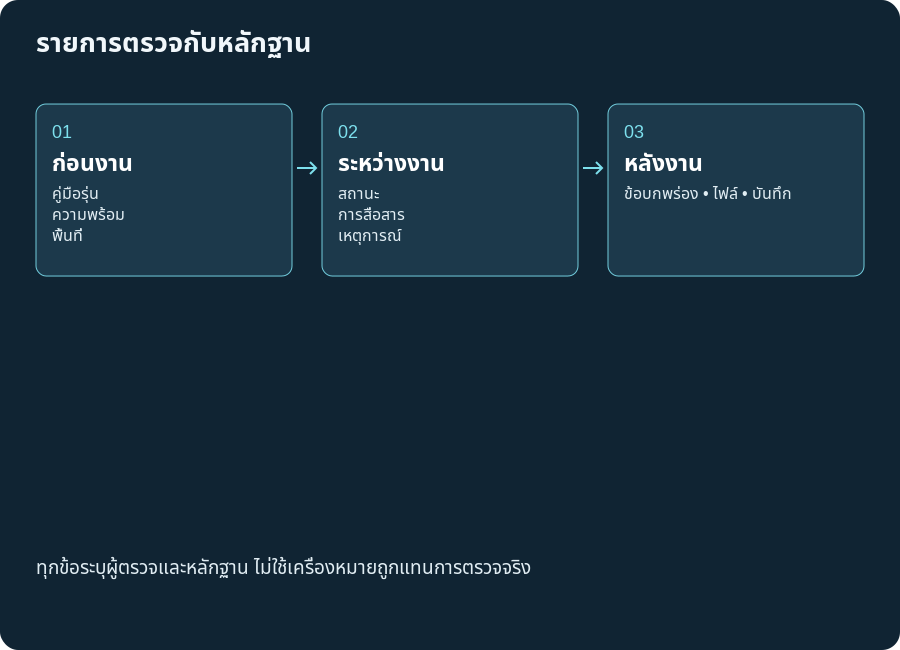
Before work, confirm the identity of the equipment set, the manual revision and the readiness of people/area. During work, monitor status according to the OM without letting paperwork distract from primary duties. After work, record defects, data status and the person taking over. Do not use the phrase “work completed normally” to cover up abnormalities that occurred and then disappeared
A changed firmware version or setting may affect checklist items, so the document must have an owner who reviews it. This chapter does not set a common battery percentage, return-to-home altitude or wind limit for every system, because those values require the context of the aircraft, the manual and the task
Exercise: turn vague wording into checklist items
Open checklist.csv in mission workbook , used on a computer; there is no need to power on a real aircraft
- Write a hypothetical equipment identity and fields for firmware/manual revision, labelled as practice values
- Turn “check data ready” into sub-items, such as the mission name, a storage location for originals and the person responsible
- Where the manual does not match the firmware, fill in results according to the evidence and state what cannot yet be checked
- Create one N/A item with a reason and have a peer challenge whether it is skipping work
- Write the procedure for sending a defect to
debrief.csvusing a reference code that links back to the checklist item
Answers and assessment criteria
A manual that does not match the set is a FAIL for the item “documents match the set”, while steps that cannot yet be confirmed from the manual may be UNKNOWN. The two statuses differ and should not be deleted once fixed; record the new check result with evidence closing the issue
Score 0–2 for each aspect: clarity of items, document references, evidence, correct status and defect handover. The critical error is entering PASS without checking; even if the document looks complete, it must be corrected before further use
References and next chapter
- CAAT, Guidance for Development of an Operations Manual, Issue 01 Rev 00 (2022), section On-site Procedures and Pre-flight Checks, original, checked 26 September 2026
- Continue with Separating abnormal events to practise distinguishing status from the available data