C01 Inspection camera set: how much area does extra detail cost
Compare sampling with image-storage requirements, separating passing the numbers from actually seeing and detecting, with the KSEC criteria and the B/O/D practice kit
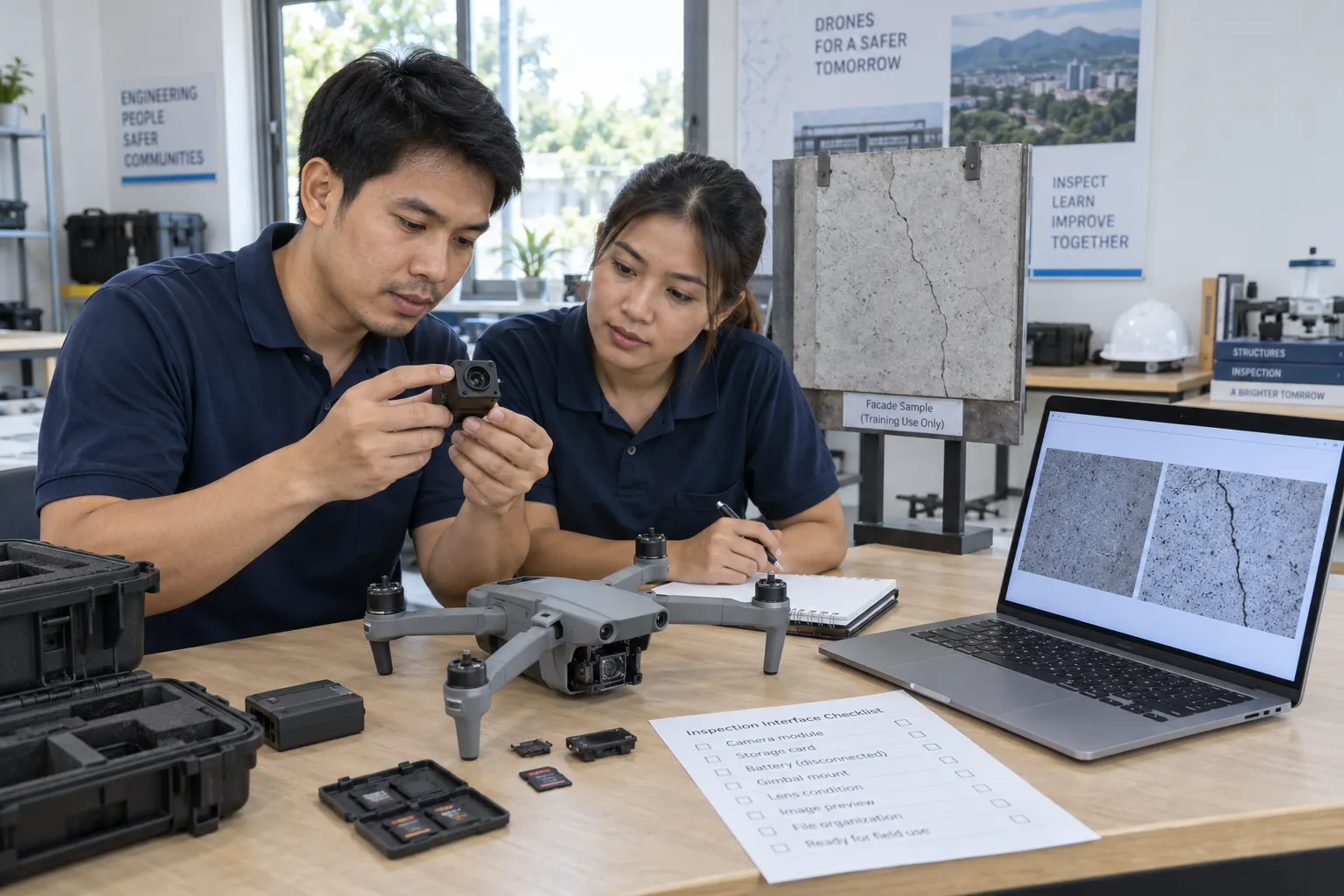
Start from what the recipient needs
The inspector must be able to open and re-check the details of a hypothetical target, together with its context and a list of the parts still missing, in order to choose the next inspection task. The request is for enough detail to re-open and re-check, not simply for more images. We therefore check the sampling condition and the storage capacity together. If detail is increased but the image set cannot be stored completely, the recipient still has not received the deliverable the task asks for.
Choose B Read the scenario and choose the kit, O Plan resources or D Check the change and the evidence All three use the same case; you may also read the baseline M04 Condition Inspection alongside.
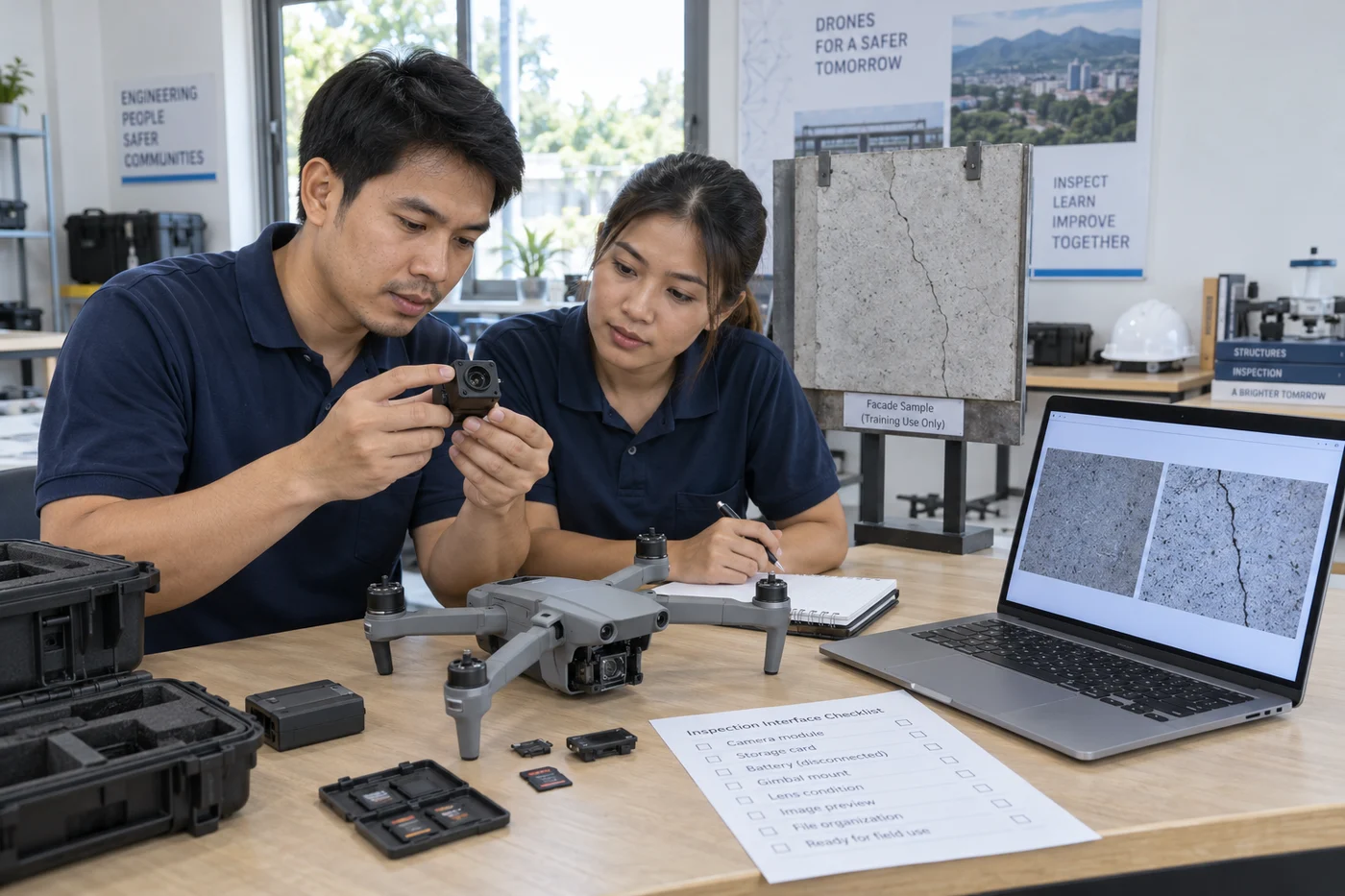
The AI image is only for explaining context. It is not equipment used in the fixture and not evidence of compatibility. Open the full-size context image
Baseline, change, and what the formulas can tell
The target is defined as 12 mm wide and the fabricated criterion as 4 samples. All parameters come from fixture.json version p4-toy-1 and are not camera specifications. GSD is used to describe the ground distance between pixel centres, while positional accuracy must be assessed separately with independent reference data. PIX4D: GSD and PIX4D: accuracy are used for this definition only; no performance-assurance values are borrowed from them.
In the planar model, samples = target_mm ÷ gsd_mm_per_px, so CAM01 gives 12 ÷ 4 = 3 samples , which is below 4, but 30 × 8 MiB = 240 MiB is still within the 256 MiB capacity. CAM02 changes to 2 mm/px and 60 images, giving 6 samples , but this needs 480 MiB , so it is still outside_bounds. CAM03 changes the hypothetical capacity to 512 MiB , so it passes on both numeric sides. For CAM04 the GSD is unknown, so samples and sampling_ok must remain null even though the storage can still be calculated. CAM05 uses the CAM01 baseline values to re-check the restoration of the version.
The changes to GSD and to the number of images are a set of assumptions that must be disclosed; they do not prove that a real camera could do this after the change. These numbers must not be turned into an instruction to fly close to a structure. The number of samples does not guarantee sharpness, contrast, defect detection or geometric accuracy; real images, a QA method and a separate reviewer are required.
Source and version of every parameter value: written by the author for teaching on 12 October B.E. 2569 (2026) in fixture.json version p4-toy-1 There are no manufacturer parameters. The numbers and expected results in this lesson are explanatory calculations, not the output of a program that has been run.
Interface ledger and resources still to be requested
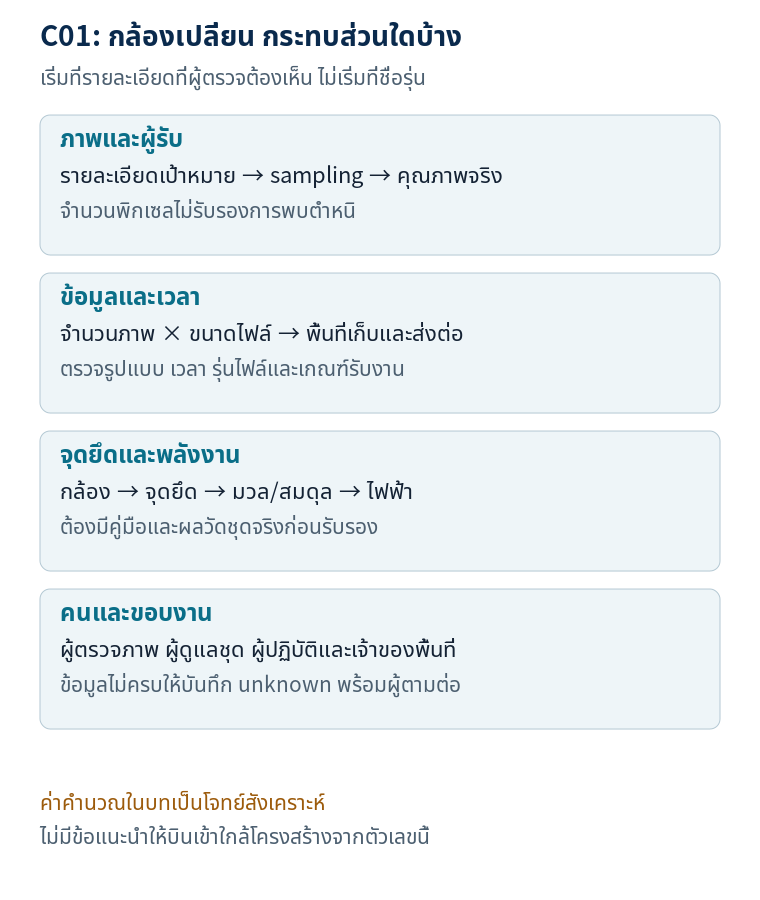
Open the full-size interface diagram
Scroll the table horizontally to see every column. When the table has keyboard focus, use the left or right arrow keys.
| Aspect/resource | Baseline data → proposal | Source/unknowns | Role and check |
|---|---|---|---|
| mechanical: mount/gimbal | unknown → unknown | No manual for the real kit yet | D: request the manual and a check of the kit by the responsible person |
| electrical: power/connector | unknown → unknown | No manual for the real kit yet | D: hold off connecting equipment |
| data: target/GSD/min_samples | 12 mm; 4 mm/px; 4 → 12 mm; 2 mm/px; 4 | authored p4-toy-1 CAM01-CAM03 | B: compare the formulas and preserve the unknown for CAM04 |
| storage: image_count/bytes/capacity | 30;8388608;268435456 → 60;8388608;536870912 | authored p4-toy-1 CAM01/CAM03 | O: gather the file comparing hypothetical capacities |
| time: capture/processing/sync | unknown → unknown | No measurement yet | O: request the timing and the image pairing |
| mass_cg: total mass/CG | unknown → unknown | No list for the real kit | D: request the complete list and the model limitations |
| energy: mission energy | unknown → unknown | No energy measurement | O: request a budget and real check results |
| constraints: permission/quality | unknown → unknown | NOT_CONFIRMED / NOT_RUN | O: an authorised person re-checks the data storage and the QA method |
B/O/D in the table are the proposed roles responsible for the training task; no real person has been assigned (owner_status=not_assigned). A value that is unknown is not zero; before any decision about the real kit, the model manual, measurement evidence, check method or confirmation of authorization must be requested from the responsible party. There are no real camera images and no checked sharpness, lighting, vibration, position, time or image pairing. Seen/detected result: NOT_RUN.
Predict before running, then check the evidence before concluding
Scroll the table horizontally to see every column. When the table has keyboard focus, use the left or right arrow keys.
| Case | Expected disposition before running | Expected metrics |
|---|---|---|
| CAM01 | outside_bounds | {"samples":3,"sampling_ok":false,"total_bytes":251658240,"storage_ok":true} |
| CAM02 | outside_bounds | {"samples":6,"sampling_ok":true,"total_bytes":503316480,"storage_ok":false} |
| CAM03 | numeric_fit | {"samples":6,"sampling_ok":true,"total_bytes":503316480,"storage_ok":true} |
| CAM04 | unknown | {"samples":null,"sampling_ok":null,"total_bytes":503316480,"storage_ok":true} |
| CAM05 | outside_bounds | {"samples":3,"sampling_ok":false,"total_bytes":251658240,"storage_ok":true} |
Edges to understand: samples = 4 passes sampling; total_bytes = capacity passes storage; a GSD of 0 is rejected; a null GSD is unknown. These edges are teaching rules, not an operating envelope. Read the C01 test-plan and the full lab contract before using the program.
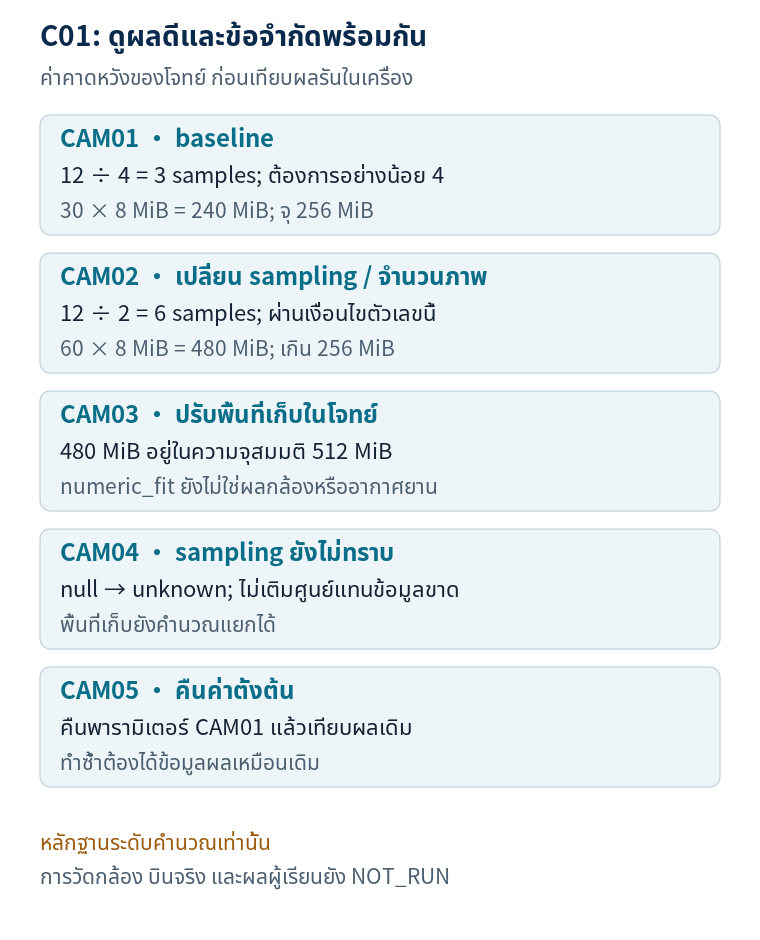
Open the full-size evidence diagram
- Keep the baseline requirements, fixture and script, with version and SHA-256, before editing. The hash is used to compare bytes; it does not confirm the author's identity.
- Record the expected results and the reason for choosing the change before running. Keep the raw stdout, the command, the time, the Python version and the exit code of your own work.
- Compare the disposition and metrics of every case against expected. Separate errors from the formula from errors from the input. Do not edit expected merely to match the actual result.
- Re-run the same input and compare the output bytes. Then restore the baseline fixture copy, compare the hash and run again. Review the baseline/rollback pair without counting case_id.
- Keep v0/v1 under the same outcome ID, together with the comment, the reply, the reason for the fix and the retest. If it has not been run, set actual=NOT_RUN and do not fill expected values into results.csv.
Author's evidence: host_calculation The author ran Python 3.14.3 on 12 October 2026 at 16:20:43 UTC. All 17 cases matched expected, the re-run gave the same output bytes, and all three baseline-restoration pairs matched. Read the raw results, the host and hash record and this case's results The author's results are in the host record; for content status and outstanding work see the overview page Hardware/flight/RF/field=NOT_RUN; permissions/receiver=NOT_CONFIRMED; learner=NOT_RUN. Passing numeric_fit does not certify safety, legality, accuracy or detection. The author's results are not evidence that learners can do it.
Produce the role work and review KSEC
K = Knowledge, S = Skills, E = Ethics, C = Character. Record each ID's status as NOT_RUN before starting, then use meets / needs_revision / insufficient_evidence with reasons and real evidence. The pass criteria require an output matching the code that can be checked. Do not average a missing Ethics/Character result away with a computed score. Learners must resubmit under the same ID when the evidence is insufficient.
B: Beginner
K baseline: can distinguish UAV/UAS and the recipients of results; review Fundamentals then name one person, one piece of equipment and one data item. S baseline: can read units and separate observations from conclusions; review Observation then write what is known and what is pending.
Baseline check before starting: write one baseline K answer and one baseline S example. If you cannot yet, read the baseline links, then resubmit your answers before doing this role's work.
Write a one-page brief: recipient, question, deliverable. Compare the baseline with the proposal using the same criteria, and explain which numerical results help the recipient's work and which do not yet. Use the same C01 case; do not change the scenario to pass without recording it. Revise the statement “6 samples, so a defect will certainly be found” into a numerical result together with a request for images and a reviewer.
Scroll the table horizontally to see every column. When the table has keyboard focus, use the left or right arrow keys.
| Outcome ID | KSEC | Check criteria and evidence that must be seen | Before/after work |
|---|---|---|---|
| APP-C01-B-K01 | Knowledge | Explain the recipient's scenario and the reason for choosing the baseline/proposal, with at least two limitations of the model | B-K-v0 → B-K-v1 under the same ID |
| APP-C01-B-S01 | Skills | Calculate the main example with units, then choose the proposal or hold, citing the case_id and complete criteria | B-S-v0 → B-S-v1 under the same ID |
| APP-C01-B-E01 | Ethics | Correct claims that go beyond the evidence for this case only, and state the data or authorization still to be requested | B-E-v0 → B-E-v1 under the same ID |
| APP-C01-B-C01 | Character | Keep brief v0/v1, comments, replies, the reason for the fix, the person responsible to be assigned, and the re-review conditions | B-C-v0 → B-C-v1 under the same ID |
O: Operator/planner
K baseline: knows the roles of the recipient and of the person who decides to stop; review mission brief then identify the duties in this case. S baseline: can build a requested/confirmed ledger; review Choosing the kit and resources then write one resource request.
Baseline check before starting: write one baseline K answer and one baseline S example. If you cannot yet, read the baseline links, then resubmit your answers before doing this role's work.
Build a resource plan: people/skills, time, tools, storage, energy, budget, authorization and fallback plan. Tie each request to the confirmer, the acknowledgement evidence, the outstanding items and the deliverable the recipient needs. Use the same C01 case; do not change the scenario to pass without recording it. The field for the real operator's name is still not_assigned; never treat a role name as already confirmed.
Scroll the table horizontally to see every column. When the table has keyboard focus, use the left or right arrow keys.
| Outcome ID | KSEC | Check criteria and evidence that must be seen | Before/after work |
|---|---|---|---|
| APP-C01-O-K01 | Knowledge | Explain the impact of the change on time, data, energy and the recipient, separating fabricated data from real resources | O-K-v0 → O-K-v1 under the same ID |
| APP-C01-O-S01 | Skills | Complete the interface ledger and the resource plan, including the person responsible in the requested/confirmed roles, the hold points and the fallback method | O-S-v0 → O-S-v1 under the same ID |
| APP-C01-O-E01 | Ethics | Hold work whose authorization/compatibility/recipient is not yet confirmed, and do not turn numeric_fit into permission to operate | O-E-v0 → O-E-v1 under the same ID |
| APP-C01-O-C01 | Character | Keep plan v0/v1, the reason for the fix, comments and replies, together with the list of notifications to users of the old version and the people responsible for outstanding items | O-C-v0 → O-C-v1 under the same ID |
D: Developer/tuner
K baseline: knows system integration and the effects of changing a component; review integration then link the change to both sides of the interface. S baseline: can separate expected/actual and make a baseline copy; review testing then write one case with actual NOT_RUN before the experiment.
Baseline check before starting: write one baseline K answer and one baseline S example. If you cannot yet, read the baseline links, then resubmit your answers before doing this role's work.
Check the contract and the interface. Record expected before running. Keep the version/hash/script/fixture/raw results. Check every case in the case set and replay from the original input, then restore the baseline copy and compare the results. Keep a discrepancy log and a separate hardware check plan. Use the same C01 case; do not change the scenario to pass without recording it. The author's host results are an example of evidence, not a learner's work. Skills can be assessed only after you run it and record your own work.
Scroll the table horizontally to see every column. When the table has keyboard focus, use the left or right arrow keys.
| Outcome ID | KSEC | Check criteria and evidence that must be seen | Before/after work |
|---|---|---|---|
| APP-C01-D-K01 | Knowledge | Explain the formula, the edges, the meaning of null and the changed interface, without citing results that come from rounding | D-K-v0 → D-K-v1 under the same ID |
| APP-C01-D-S01 | Skills | Show expected/actual separately, with source/input hashes, time, command, exit code and the replay/rollback result, or keep NOT_RUN if not yet run | D-S-v0 → D-S-v1 under the same ID |
| APP-C01-D-E01 | Ethics | Disclose limitations, do not fabricate actual/learner/hardware results, and reject a wrong fixture instead of filling in missing values | D-E-v0 → D-E-v1 under the same ID |
| APP-C01-D-C01 | Character | Keep change-record v0/v1, comments, replies, the reason for the fix, the retest result and the baseline-restoration evidence under the same outcome ID | D-C-v0 → D-C-v1 under the same ID |
CLO/PLO are left blank (pending_design). Use curriculum mapping and the KSEC record to link evidence; having a code does not certify the curriculum.
Downloads and next steps
- Requirements and a 12-code rubric
- The interfaces.csv ledger
- Change and baseline-restoration record
- Test plan with expected results
- Actual results results.csv
- Usage steps readme
Use calculator.py, fixture.json, expected.csv and the lab readme together. The program computes only locally; no additional runtime is added on the website.
Start from the requirements of your own role and fill in the unknowns in interfaces before running. Go back to M04 Condition Inspection to review handing results to the recipient. The P3 criteria remain pending_field_review; specialist=not_assigned. P5 only prepares the trial kit; there are no real learners yet and no results are filled in on a learner's behalf. CPX-Sim remains on hold.