M04 Condition inspection: from image angles to a list for the next inspector
Choose the drone, camera, method, and resources for collecting observations, check image pairs and what is still missing, then hand over to a specialist inspector, with KSEC and worksheets for three roles.
What the recipient must do with the observations
Asset owners and specialist inspectors need a list of the sections with observations to open and review, and the sections that still need to be collected or checked further . The deliverable therefore links the asset ID, component, position, image angle, time, quality, unknowns, and follow-up work. Images help prepare further inspection, but touching, internal inspection, and discipline-specific methods still require people, equipment, and access appropriate to the asset; images do not certify the structure or its safety, and damage is not diagnosed from images.
Choose B Beginner to prepare a brief and select targets, O Operator/Planner to arrange people, the QA set, and the delivery, or D Developer/Customizer to propose requirements for a register checker and a test plan. All three use the same constructed case; this set contains no original images, flight results, ground inspection results, validator test results, or actual learner results.
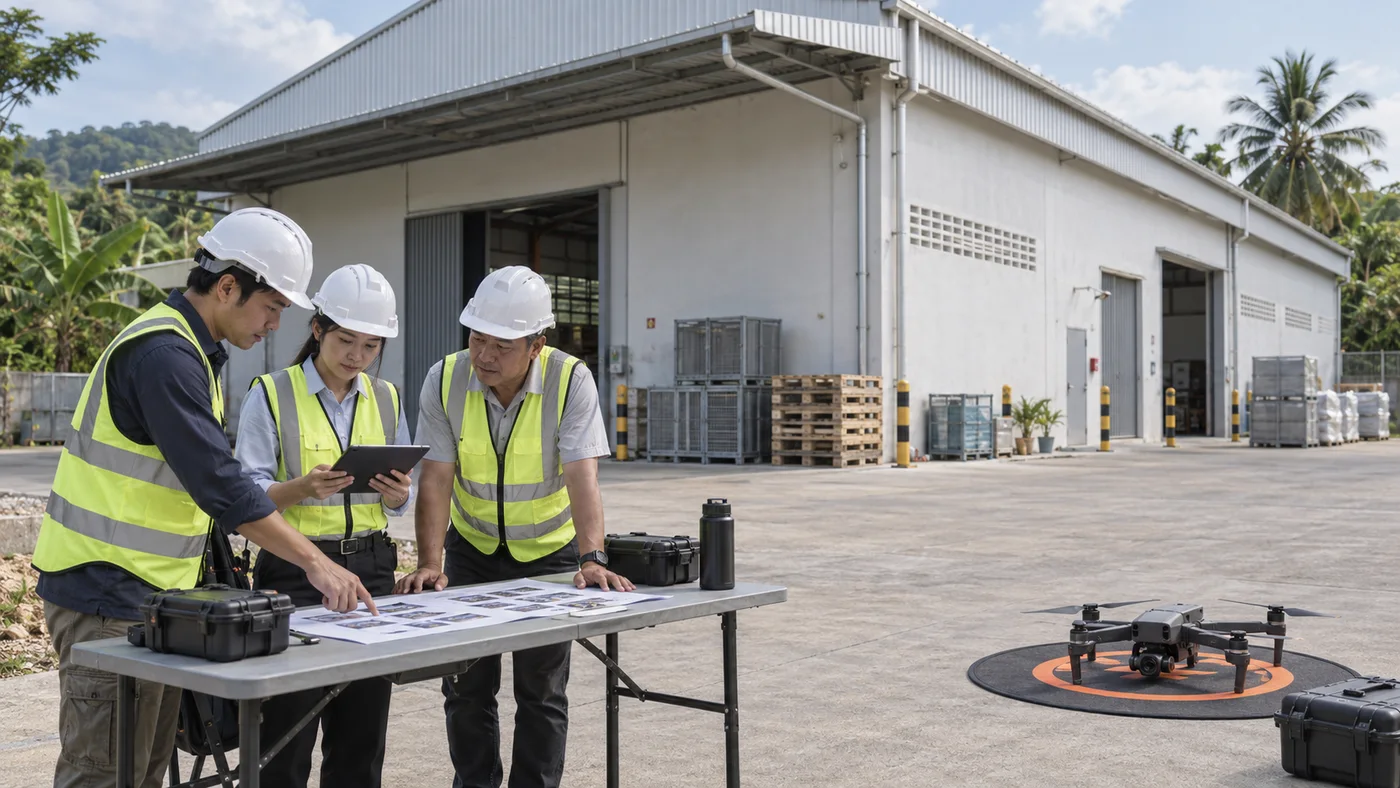
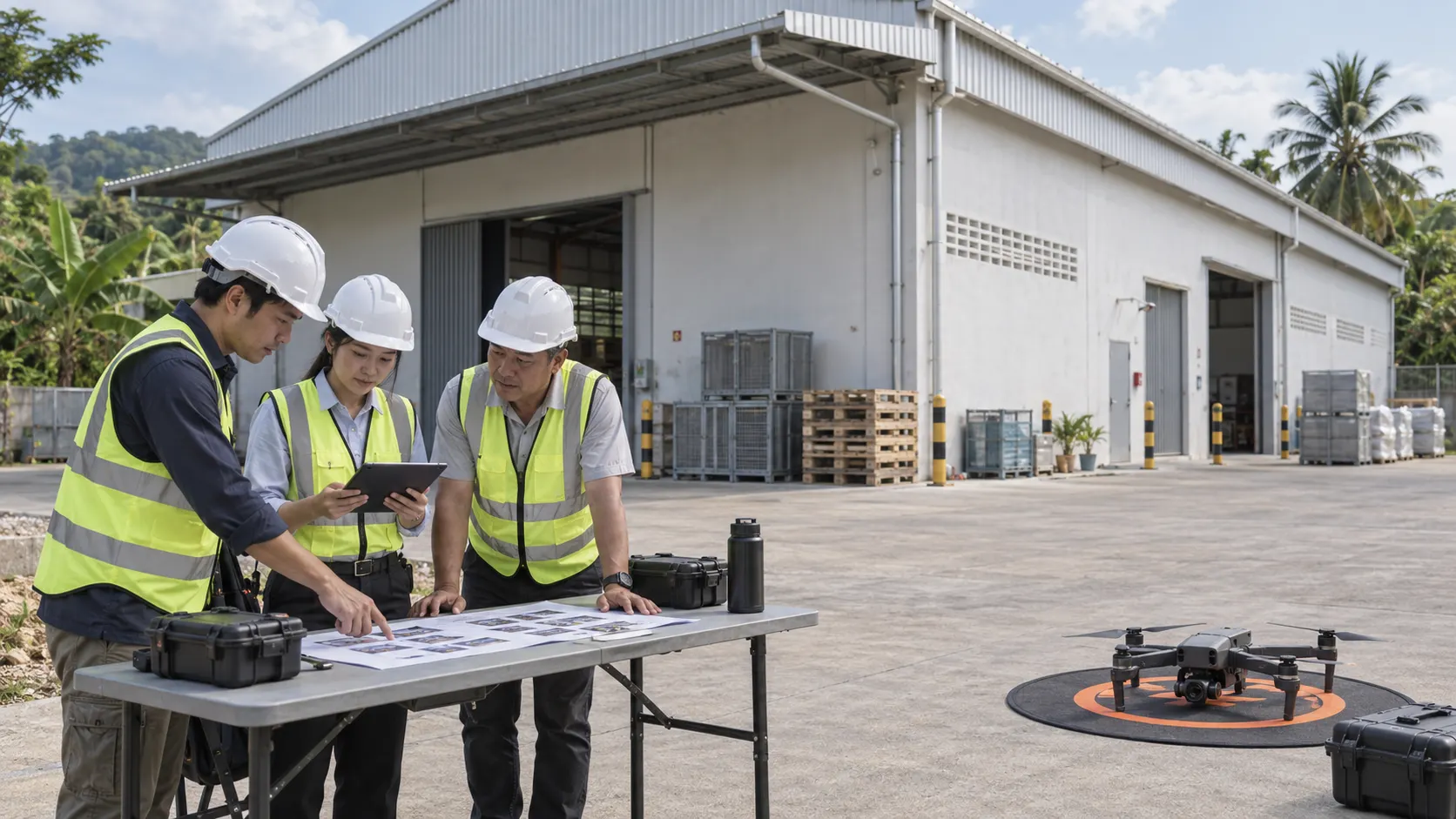
An AI-generated image to explain the context; it is not the TRAIN-WH-01 building, an original image of the register, or field evidence. Open the full-size context image
When the exercise concerns quantities or periodic work status, read M05 Construction Monitoring to review the work baseline and the plan version. M04 observations are still passed to a specialist inspector; the structure is not certified from images.
If the inspector must see parts under the structure that are dark or obstructed, use the S3 exercise card on choosing an evidence-collection method to compare existing images, ground methods, other access methods, and drones, with a hold point when the angle, light, control, or permission is not yet known.
Choose the aircraft, camera, and method from the same question
Agree first on which part the inspector must see and how the position will be confirmed. An RGB overview helps show the context, while a detail image helps open and review surface characteristics. Zoom may help collect detail from an authorized point, but a narrower frame may make it hard to link positions, and enlarging an image does not create detail that was not recorded. An overview/detail pair is needed, and sharpness, angle, and light must be checked against the exercise before use. Blur, shadow, glare, and obstructed parts may hide what is needed, so not finding something in an image must never be taken to mean that there is no defect.
A multirotor is an option when the exercise requires changing angles and collecting the target parts in sequence, but the area, obstacles, navigation system, and the manual of the actual set must be checked. A fixed-wing may suit a wide context that must be collected along a flight line, but it needs take-off and landing conditions and a way to collect the angles that answer the exercise. A VTOL may help when the exercise needs both vertical take-off and landing and wide-area collection, but mode transitions and model limits must be checked. Flight range, stability, or standoff distance from a structure are not ranked as general values. For this low warehouse case, consider ground points and controlled areas before deciding to use a drone.
Scroll the table horizontally to see every column. When the table has keyboard focus, use the left or right arrow keys.
| Same criteria | A: RGB overview/detail or zoom + an authorized ground method | B: A + radiometric thermal once the method, people, and resources are confirmed |
|---|---|---|
| Question and deliverable | Visible characteristics with context, position, and the checklist to follow | Existing RGB data and the thermal question added by the specialist inspector |
| Access and angle | Needs usable image angles that can be paired; obstructed parts need another method or must remain unknown | Also needs thermal collection conditions suited to the method; an additional camera does not open internal or obstructed parts by itself |
| Manual and QA | Check focus/zoom/time compatibility, light, the mounting set, and mass/CG | Check everything for A plus the radiometric data type, measurement parameters, measurement range, and the conditions of the actual model |
| People and review | The recipient, owner, data-collection team, specialist inspector, and reviewer must have clear duties | Add an assigned thermal user/interpreter and a confirmed method; if not yet confirmed, keep waiting |
| Whole-lifecycle cost | Aircraft/camera, ground equipment, access time, QA, processing, license/storage, and delivery | Includes the cost of A plus the camera/thermal software data, and time and review according to the method; do not assume it is always worthwhile |
| What still cannot be answered, and the backup plan | Interior, touching, causes, and safety need additional specific evidence; use ground/manual/existing data with permission, or hold | Color or temperature difference alone does not diagnose; if the method, people, or parameters are missing, use A within its limits or hold the thermal question |
Quantitative thermal data require checking the radiometric file and the manual of the actual camera model, including emissivity, reflected temperature, distance, atmosphere/humidity, and the protective window where relevant, as well as the measurement range/scale according to the method. A palette image showing color does not confirm degrees Celsius or damage. Reflective surfaces can cause misinterpretation. This lesson does not provide emissivity values, camera settings, or capture times usable for every material. FLIR: Measuring temperatures serves as a basis for the parameters in the cited manual; it does not endorse every drone camera set
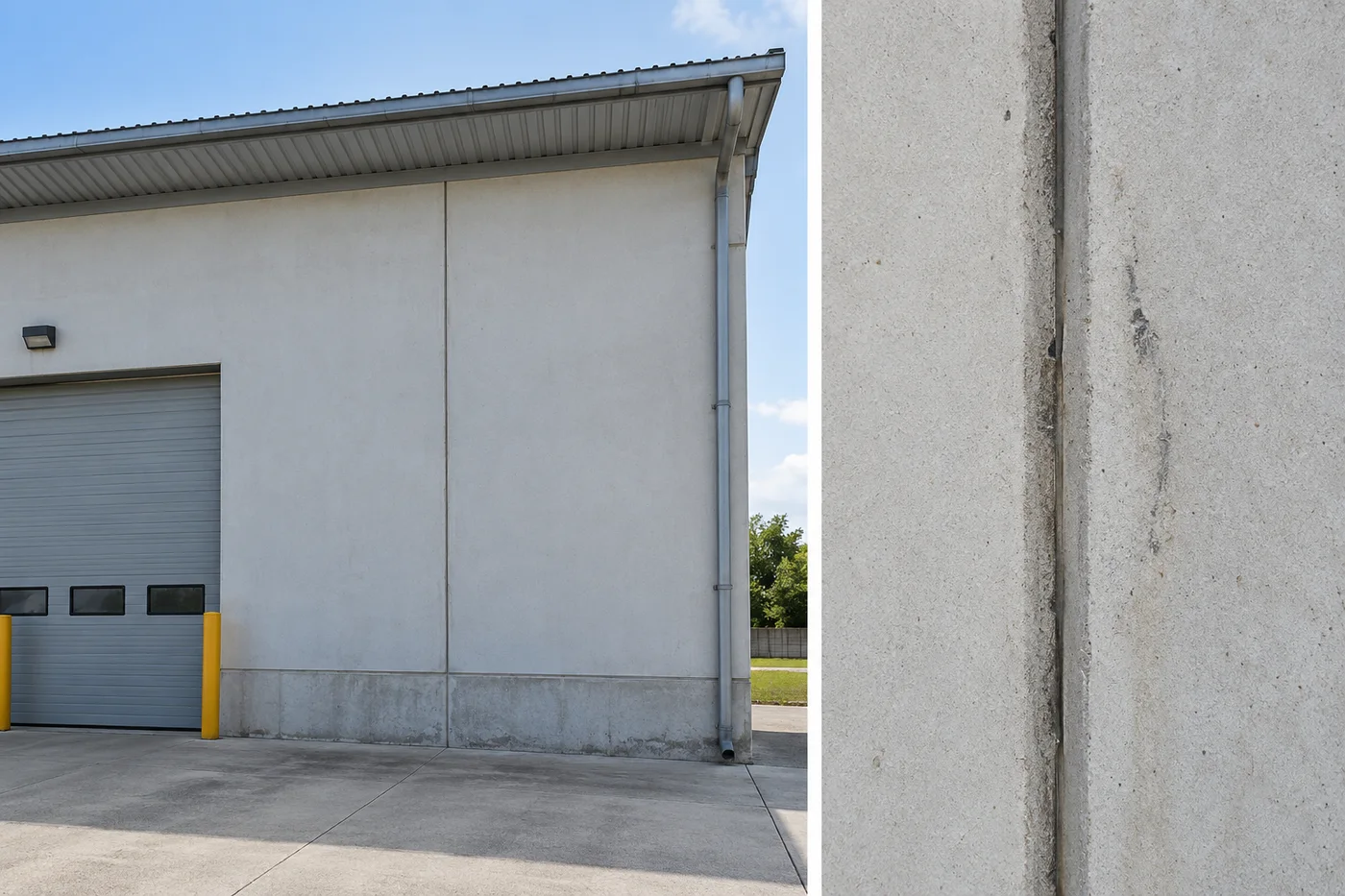
An AI image showing the concept of an overview and a detail image; it is not images I01–I08 and is not a thermogram or a measurement result. Open the full-size RGB image pair
From request to delivery: people, resources, and hold points
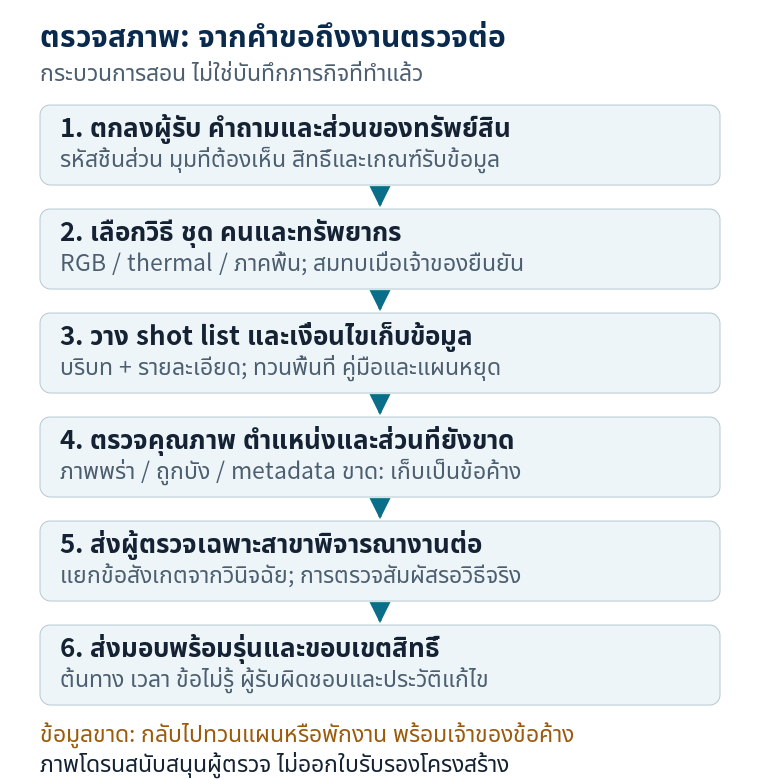
A diagram composed to teach the work sequence; it is not a team's inspection result or certification. Open the full-size workflow
- Recipient/owner → question: agree on the asset ID, component, required angles, criteria for using the images, and the follow-on inspector; record permission to enter the area/collect data and the limits that require discipline-specific methods.
- Choose the set/method: compare A/B using the same question; check the aircraft model, camera, mount/gimbal, interfaces, trigger/time, power, mass and CG, and software/file formats from the manual and the confirmation of the set's owner. The payload foundation and systems integration help build the register; they do not replace the manual of the actual model.
- People/resources/support: separate the recipient, the area/data owner, the specialist inspector, the controller/assistants per the plan, the analyst, the reviewer, and the archivist. Estimate the time until the data are usable, access, ground equipment, processing machines, license/storage/backup, and QA cost. The support register must have a requester, a confirmer, evidence of acknowledgment, limits, and time. If it is not yet available, state that it is not yet confirmed; do not treat another unit as ready just because its name is in the plan.
- Shot list/data collection: tie each target to an overview/detail, context, time, angle, and obstacles. Set angles according to the authorized area; check GNSS/obstruction, communications, light, the take-off and landing area, and access routes according to the site assessment . Do not set standoff distances from buildings or universal flight parameters. If conditions do not support the flight, stop/land according to the plan, use an authorized ground/manual method, or hold the work.
- QA/coverage: check the actual files when available: sharpness, position, pairing, time, and visible limits. Separate usable rows from target complete. Parts that are blurred, obstructed, without context, or whose position is not confirmed must retain the reason and the follow-up work; do not fill in the number of missing parts from the number of images.
- Specialist inspector/additional methods: pass the observations and questions to the responsible person to determine touching, internal inspection, specialized tools, and access rights. This lesson does not prescribe methods for entering to do electrical work, climbing to gain access, or diagnosing on behalf of the responsible person. State the actual result or not_performed according to the evidence.
- Deliver according to version/permission: keep a private package that authorized persons can open to check the codes, and a public copy whose necessity has been reviewed or redacted by the authority. Record version, source, time, QA coverage reason, owner of outstanding items, inspector, and acknowledgment, with the limits of use. If the result or version is wrong, hold the delivery, notify the recipient, and review the corrected version.
Actual flight requirements and permissions are to be checked by the site owner, the person responsible for flying, and the data owner for that day and task. Read Aviation Law and Flight Requirements as the entry point to the original foundation. This lesson does not declare the latest rules or the permission for the hypothetical case.
Image pairs help identify position; obstructed parts remain unknown
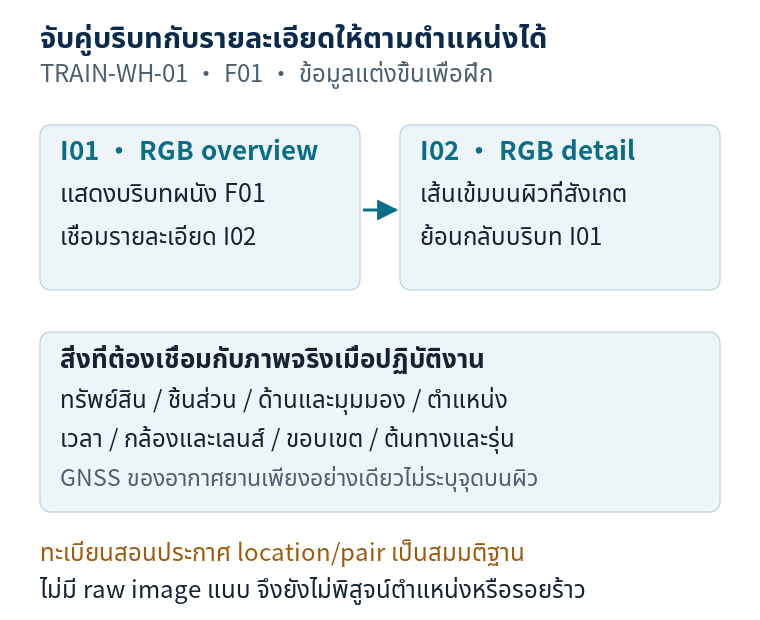
A diagram showing the image-pair rules of the exercise; it is not a photograph or a measurement of a component. Open the full-size image-pair diagram
A real-job shot list should say which image is context, which is detail, what the reviewer uses to confirm the position, and what is still obstructed. When zoom, angle, or light changes, check that the target is still visible and can be linked back to the context. Before saying that a set is usable, test it on a reference target whose conditions are controlled according to the question, with the manual of the actual model and the agreed acceptance criteria. Practicing reading the text in a CSV does not replace calibration, camera pointing capability, or actual image quality.
A constructed training case: an equipment warehouse with six sections and eight items
A low equipment-warehouse building with controlled access is named TRAIN-WH-01 , a fictional site; there are no coordinates, real dimensions, raster images/thermograms, or ground results. Use the CSV register of eight items with the schema and status definitions . The date of every row is 11 October 2026 with timezone +07:00.
Visual criterion of the teaching case: each target must have a usable RGB overview + RGB detail under the teaching conditions, with the position confirmed and the same asset/section paired, in order to be counted complete for this observation list. F05 has an additional thermal question, separate from the RGB pair. All quality/location/pair flags are author_provided_teaching_assumption and media_status=not_supplied in every row. The term USABLE_TEACHING therefore describes a constructed register, not the result of an independent pixel check.
Scroll the table horizontally to see every column. When the table has keyboard focus, use the left or right arrow keys.
| ID / target | Type / time +07:00 | Teaching status | Observations and limits passed on |
|---|---|---|---|
| I01 / F01 front wall | RGB overview / 09:00 | USABLE_TEACHING | Wall context, linked to I02 by assumption |
| I02 / F01 front wall | RGB detail / 09:02 | USABLE_TEACHING | Dark line on the surface, linked to I01; does not confirm a crack, its width, or its depth |
| I03 / F02 gutter/roof edge | RGB detail / 09:04 | REACQUIRE | Blurred, must be re-collected; no usable overview |
| I04 / F03 under the eaves | RGB overview / 09:06 | PARTIAL | The eave partly obstructs; the obstructed part is unknown and there is no detail |
| I05 / F04 side wall joint | RGB detail / 09:08 | HOLD_METADATA | F04 is a claimed target; its position is not yet confirmed and there is no overview |
| I06 / F05 equipment casing | thermal palette-only / 09:10 | HOLD_QUANTITATIVE | Color difference described; no radiometric data or confirmed parameters; no °C or diagnosis given |
| I07 / F05 equipment casing | RGB overview / 09:12 | USABLE_TEACHING | Context of the equipment casing only; no RGB detail |
| I08 / F06 rear wall | not_collected / 09:14 | NOT_COLLECTED | The time is a log entry for the gap, not a capture; no observation from images |
Total 3 USABLE_TEACHING + 1 REACQUIRE + 1 PARTIAL + 1 HOLD_METADATA + 1 HOLD_QUANTITATIVE + 1 NOT_COLLECTED = 8 items . Every row has ground_status=not_performed . Learners do not fill in ground inspection results, image files, hashes, or coordinates that do not exist.
Scroll the table horizontally to see every column. When the table has keyboard focus, use the left or right arrow keys.
| Target | Visual pair complete? | Reason and requested follow-up work |
|---|---|---|
| F01 | Complete in the teaching register | I01↔I02; pass the characteristics of the line on the surface to the specialist inspector to decide the review method; damage is not yet confirmed |
| F02 | Not complete | Re-collect a usable overview and detail once a confirmed method/permission exists |
| F03 | Not complete | Request a method/angle that covers the obstructed part and the detail; keep the hidden unknown |
| F04 | Not complete | Confirm the asset/target/location first; then use the context and a detail pair that can be reviewed |
| F05 | Not complete | Request RGB detail to complete the pair; the thermal question requires a separate request for an inspector, a method, and additional data/parameters |
| F06 | Not complete | Record as not yet collected; request an access plan or an authorized ground method |
Only F01 is complete = 1/6 targets; the other 5/6 are not complete . This counts target sections under the constructed visual criterion; it is not a percentage of area, safety, readiness, or the number of defect-free components. The 3 usable rows are not 3 completed targets, and thermal I06 does not fill in the RGB pair of F05.
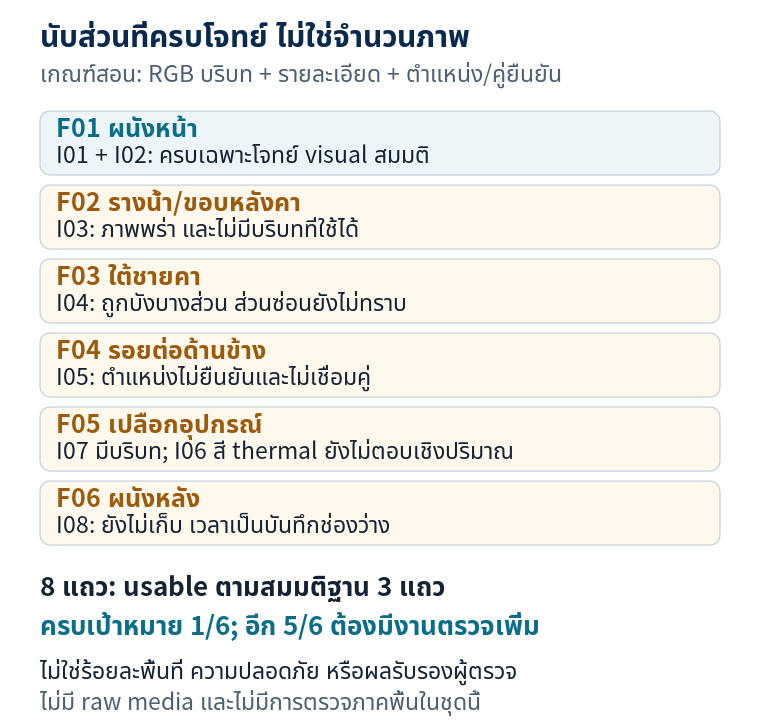
A diagram computed from the conditions of the teaching register; it shows no area result or safety status. Open the full-size coverage diagram
Passing to the inspector and separating private/public versions
A handoff request should include the target/reference item, the question, constraints, the method or evidence requested, the responsible person, permission conditions, and the review date. In the example, F01 asks the inspector to assess what method is needed to confirm the characteristics of the line on the surface; F03 asks for a way to access the obstructed part; F05 asks for a thermal plan for the specific question with parameters and an interpreter. All are requested tasks, not completed inspection results. Do not assume that an inspector, tools, or a ground team are ready until there is a confirming reply.
The private package keeps the register version in use, the reference list and the QA/coverage reasons, outstanding items, permissions, and work owners. If real images exist later, keep the originals/working copies and the conversion history according to the evidence report . The public copy must be reviewed for necessity and permission, for example persons, signs, access points, or sensitive asset details, keeping a redaction log and the limits of the reduction until the recipient is informed. There are no raw images or hashes of raw images in this M04, so file names/hashes must not be fabricated to look like evidence.
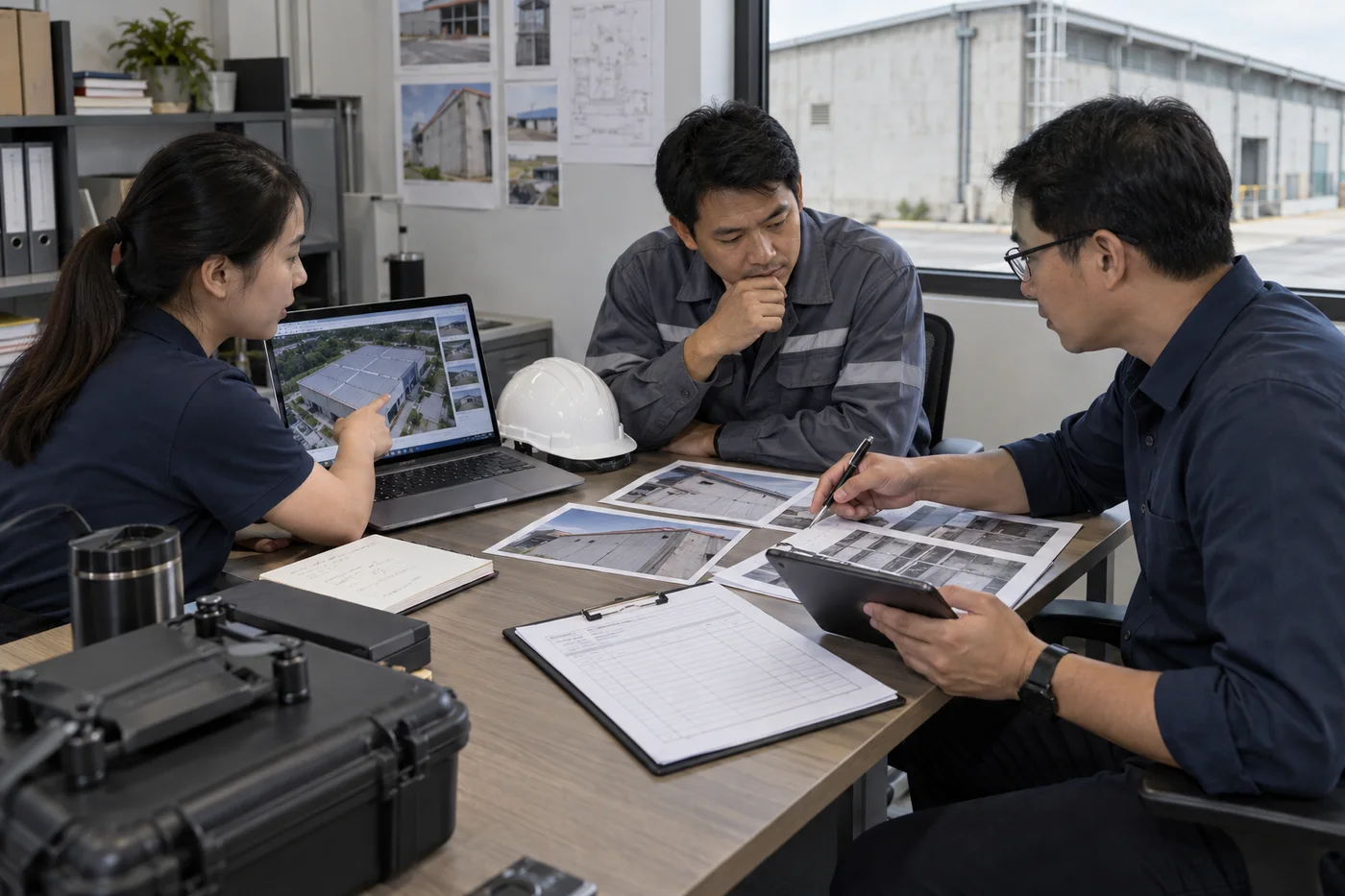
An AI image explaining the review of the handover; it is not a certificate or evidence of actual acceptance of work. Open the full-size handover image
B Beginner: the brief and the missing target list
Use Worksheet B to write the recipient, question, options A/B, and delivery limits, then organize the eight items into six targets and pass them to the follow-on inspector in the language of observations. Try answering the request “The images are complete; please certify that the building is safe and post everything” with reasons and what must be requested additionally.
Scroll the table horizontally to see every column. When the table has keyboard focus, use the left or right arrow keys.
| ID / dimension | Foundations and self-check/supplementary work | Observable goal | Activity / evidence | Evidence meets criteria / needs correction |
|---|---|---|---|---|
| APP-M04-B-K01 / K | Separate observations from conclusions and RGB from thermal; review payload and sensor limits then explain I02/I06 in separate sentences | Explain the method and the limits of the results that the recipient uses for follow-on inspection | Brief for the recipient, A/B, image pairs, and limits of use | A line on the surface does not confirm a crack; color does not give °C; needs correction if it certifies safety or declares a sensor always good |
| APP-M04-B-S01 / S | Read codes/times and match pairs; review time/position then select I01/I02 | Sort the eight items into six targets and the follow-up work | A table of rows/pairs/status and the request | Count 8 rows, 3 usable, and only F01 complete at 1/6; needs correction when rows are counted as targets or I08 is treated as an image |
| APP-M04-B-E01 / E | Separate hypothetical from real and permissions; review observations and handover then correct one claim | Record unknowns and choose what to share according to permission | Answers for the case of certifying the building / posting everything | Request an inspector/permission and reduce the data with reasons; needs correction when ground results are invented or an AI image is used as confirmation |
| APP-M04-B-C01 / C | Keep versions and answer comments; review teamwork then open the outstanding items | Correct the brief and take responsibility for accepted outstanding items | B-v0/B-v1, comments, replies, owner/task/recheck | Every comment has a reason with outstanding items F02–F06; needs correction when versions are discarded or it only says it will check |
O Operator/Planner: people, set, angles, and acceptance criteria
Use Worksheet O to organize a seven-step plan, a register of the set/actual manual, people/cost/support, a shot list, and QA; review the result of each target with the downstream recipient; then produce the private/public package by version. If permission, image angles, GNSS/conditions, or a required inspector is missing, open an outstanding item and choose ground/manual/hold within the permitted limits.
Scroll the table horizontally to see every column. When the table has keyboard focus, use the left or right arrow keys.
| ID / dimension | Foundations and self-check/supplementary work | Observable goal | Activity / evidence | Evidence meets criteria / needs correction |
|---|---|---|---|---|
| APP-M04-O-K01 / K | Link the exercise/set/method; review choosing a set and the site then compare A/B | Explain the reasons for choosing the aircraft/sensor/method according to the conditions | An A/B table with the same criteria and a register of manual/interfaces/power/mass/CG | Explain RGB/zoom thermal/light/GNSS/angles and alternatives; needs correction when universal distances or camera settings are used |
| APP-M04-O-S01 / S | Arrange people and QA and be able to match pairs; review mission brief and time/position then sort F04 | Plan collection/review/follow-on inspection and a handover that others can continue | A seven-step plan, shot list, coverage, discipline-specific request, and cost/support | 1/6 complete, 5/6 outstanding; the work has owners/evidence/reasons for the hold; needs correction when obstructed angles, positions, or the thermal scope are skipped |
| APP-M04-O-E01 / E | Separate permission and necessity; review the report then choose the items to reduce | Send observations and unknowns according to permission | Private/public package and redaction log | Version, QA coverage, and outstanding items/limits of use are clear, with no certification; needs correction when gaps are hidden or information beyond permission is exposed |
| APP-M04-O-C01 / C | Review duties/outstanding items; review teamwork then have the downstream recipient read it back | Follow up the confirmation of support and revise the plan | O-v0/O-v1 comments, requester/confirmer/reply/recheck | Confirmed or not yet confirmed according to evidence, with an owner for every item; needs correction when a team or machine is assumed ready or a comment is not answered |
D Developer/Customizer: a proposal for a camera/metadata validator
Use Worksheet D: R01–R08 and D01–D18 to propose the input/output and a test plan, v0 that only counts rows → v1 that checks target/pair/quality/location/thermal scope . v0 might take 3 usable rows and claim 3 complete targets, whereas the expected result of v1 must be that only F01 is complete in the teaching register, with the follow-up work for F02–F06 retained. This is a proposal; no validator has been developed, tested, or delivered, and actual for every case is not_run
The requirements must preserve the provenance of the teaching flags and check for duplicate times, missing/invalid/future values compared with the declared receive time, orphan pairs, wrong assets, absent raw data, partial angles, and thermal parameters. A passing parser is not taken to mean that the pixels are usable or are genuine radiometric data. A CSV is data, not an instruction, and is not automatically trusted as a file path. If raw data exist later, the files/types/permissions must be checked by an agreed method. Before claiming camera performance, pointing, zoom, or light, use a controlled reference target and the manual of the actual model. Acceptance criteria depend on the mission; no NIST certification is claimed from this training set.
Scroll the table horizontally to see every column. When the table has keyboard focus, use the left or right arrow keys.
| ID / dimension | Foundations and self-check/supplementary work | Observable goal | Activity / evidence | Evidence meets criteria / needs correction |
|---|---|---|---|---|
| APP-M04-D-K01 / K | Read the schema/status/requirements; review testing and sensor limits then write the I06 input | Explain the reasons for v0→v1 and the camera/metadata limits | R01–R08 schema/output/reasons/limits of the reference method | Separate rows/target metadata/RGB-thermal pixels and not_supplied; needs correction when a teaching flag becomes verification |
| APP-M04-D-S01 / S | Tie each requirement to the expected result; review integration and testing then write an orphan case | Design normal/failure/version/rights tests | D01–D18 expected/actual with R01–R08 | Complete cases: time, raw/thermal pairs, partial, rollback/redaction; expected is correct and actual is not_run; needs correction when missing items are filled in or gaps are dropped |
| APP-M04-D-E01 / E | Separate proposals/actual results/permissions; review the evidence report then withdraw one claim | Report the level of evidence and export rights | Limits of actual/export and public review | No validator/field/camera certification is claimed beyond the evidence; needs correction when AI images are used as raw data or a run is claimed |
| APP-M04-D-C01 / C | Keep baseline/issue/comments; review teamwork then open an issue | Control versions and take responsibility for holding/returning wrong results | D-v0/D-v1 change-review and rollback plan | Versions of input/schema/rules/config/output, owner/trigger, and re-review after rollback are complete; needs correction when versions are overwritten or old results are sent as current |
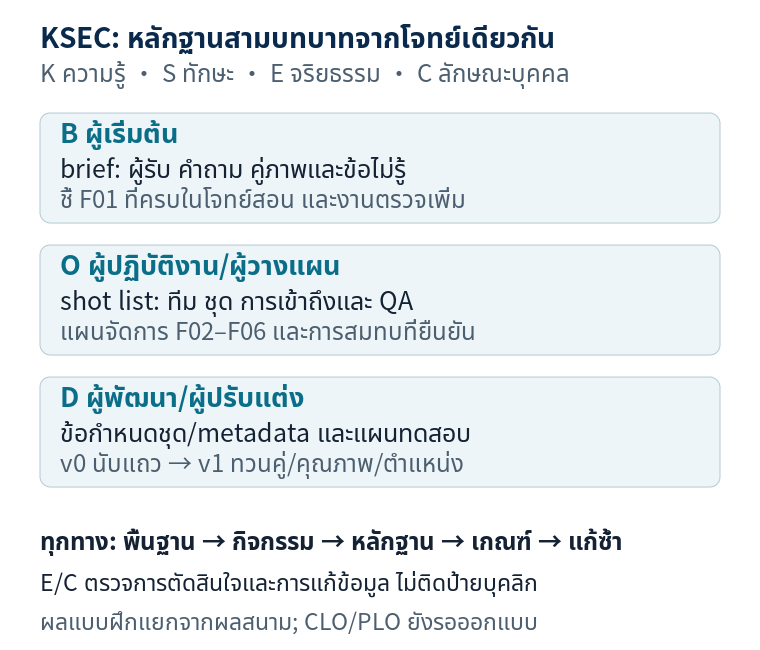
K = Knowledge, S = Skills, E = Ethics, C = Character. The diagram shows composed activities, not learner assessment results. E/C use decisions and evidence corrections recorded in context and do not label morality or permanent personality. Open the full-size KSEC
Check the work and keep before–after evidence
Choose 4 IDs of your own path from the total of 12 IDs. Use the M04 rubric and answer guide . Record evidence meets criteria / needs more practice / no evidence yet with the file/section of evidence, the reviewer, the date, the criteria version, and the corrective work in the KSEC learning record . Keep before and after versions, answer every comment with evidence or reasons for keeping it, and open the owner/requested evidence/re-review conditions. A solo learner states the self-check and the items awaiting a reviewer; a pass is not given for finishing reading or for the number of cells filled.
curriculum-mapping.csv links the foundation IDs, activities, evidence, and rubric, with CLO/PLO still empty pending_design Learning readiness means being able to do the activities and show evidence meeting the criteria, whereas readiness for actual work requires checking people, set, manual, area, weather, permissions, discipline-specific methods, and acceptance criteria for that job. Learners do not become inspectors or certifiers of structures from worksheet results. The M04 readme and license state the limits of the dataset and what is still missing.
References and review status
- FHWA NBIS Q&A: 650.313, Q313-1/2 and Q313-16: uses the concept that technology supplements people/inspection methods and does not cover all physical aspects, and that people, equipment, access, and asset-specific documentation must be planned for. It is a US bridge context, not Thai law or a manual certifying the hypothetical warehouse
- FLIR: Measuring temperatures: uses the measurement parameters and measurement range of the cited manual; the manual for the actual model must be checked, and default values must not be carried over for every job
- NIST: Test Methods for Evaluating Aerial Drones, brochure: read the cover/Introduction, PDF pages 1–2, for the concept of testing a system with repeat users and setting criteria according to the mission. The cover says 2023C even though the filename is v2023A. It does not claim to have read or used the test lanes of the whole document, and it is not a certification of M04
- Foundations in the library: payload, sensor limits, evidence report, site assessment, system integration and choosing a set
Reviewed 11 October 2026. The assets, items, times, quality flags, and learning criteria are constructed by the compiler; the cited sources do not provide these eight items. Return to the mission overview or read M01 Survey and Mapping to separate mapping results from a list of condition-inspection observations.
Try C01 Condition-inspection camera set to compare detail with the image-capture area using constructed numbers, keeping the baseline, proposal, missing data, and the results of returning to baseline; real images and a specialist inspector are still needed before concluding any finding.
When a recipient asks to use condition-inspection images to conclude quantities or progress, read S3: the seam between condition-inspection images and measurement work to separate observations, new survey work, and acceptance authority before choosing an equipment set.