M06 Disaster situation assessment: from the request to the hand-over data
Practise assessing a flood using data from different times, separating freshness, coverage and verification, then send a brief with the unknowns and the revision history.
What the recipient must decide
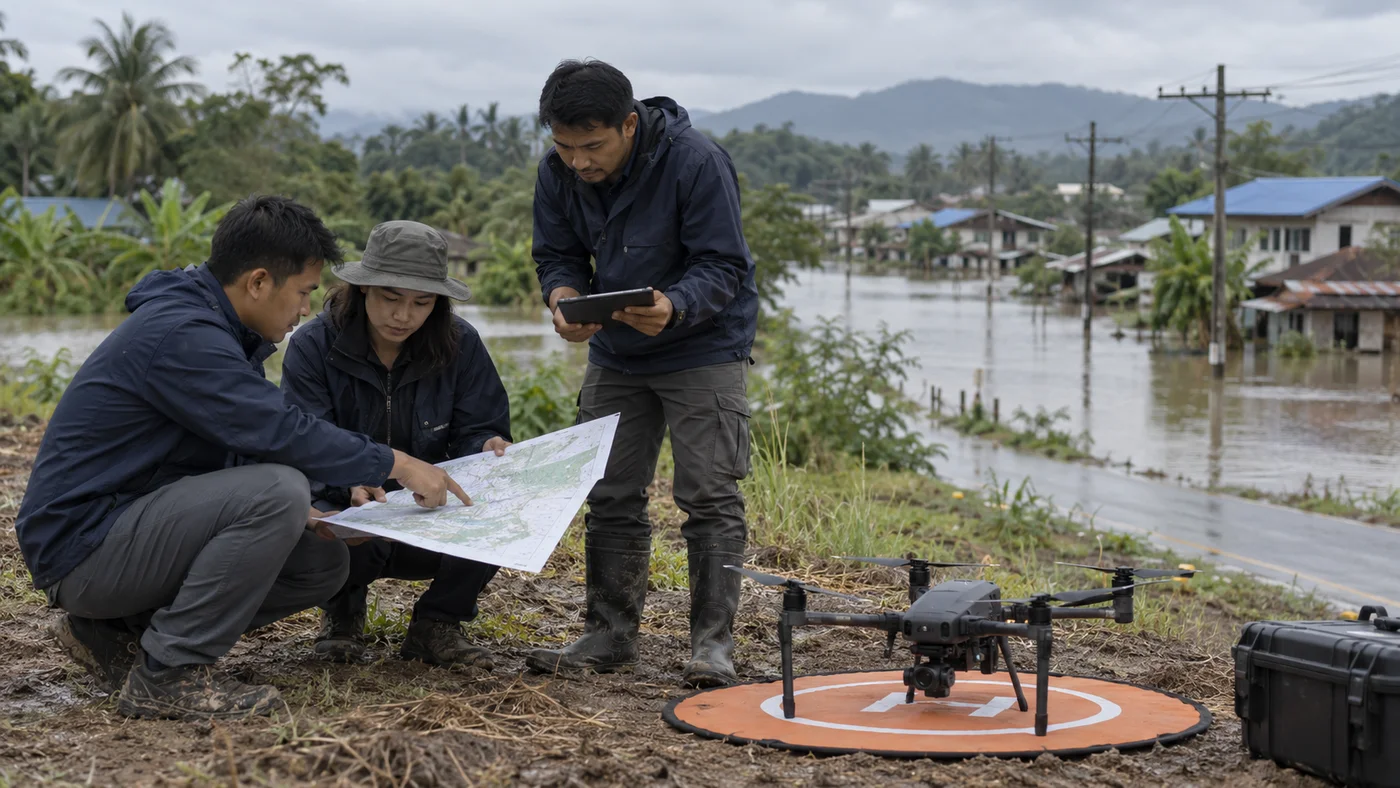
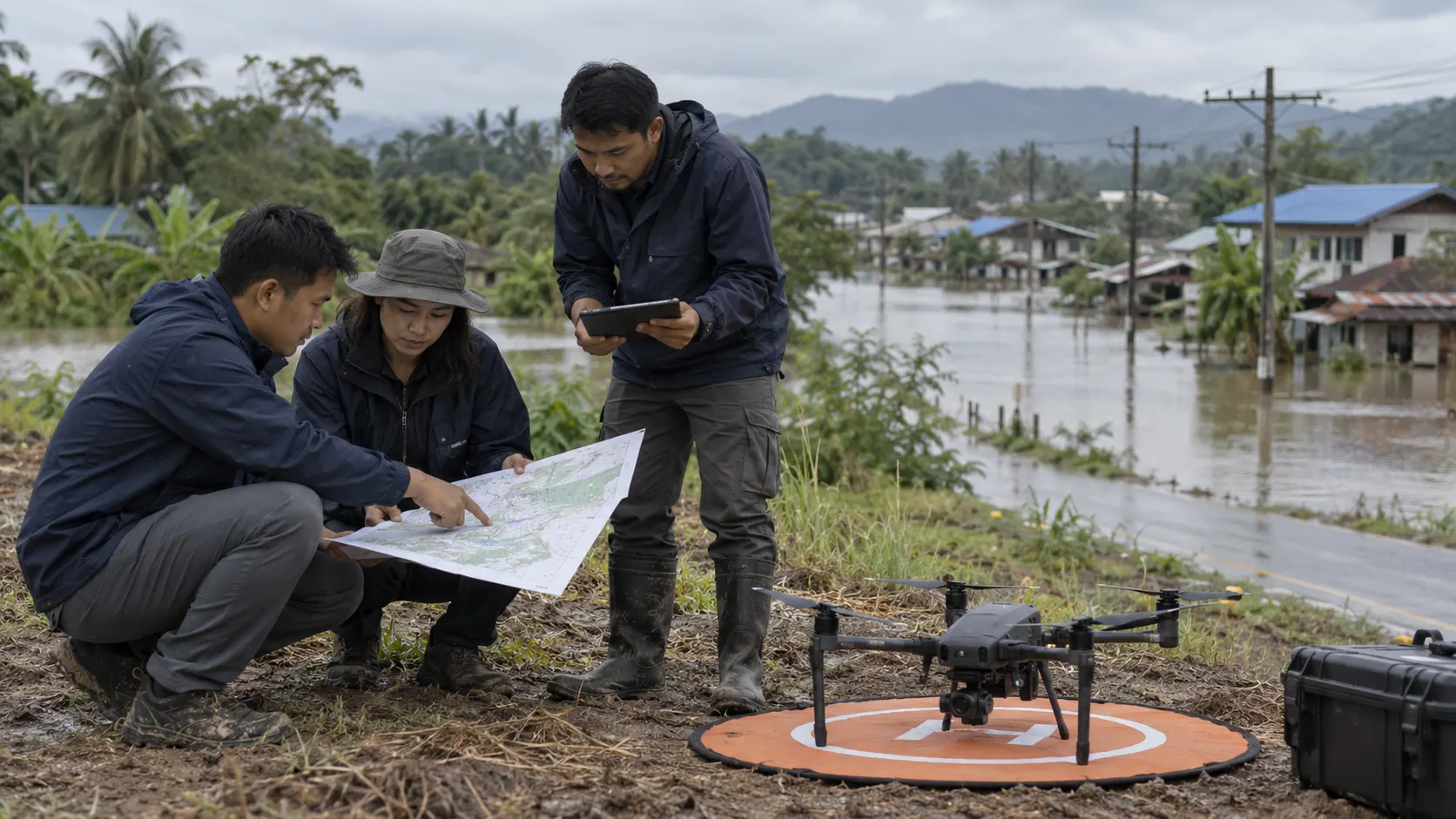
An image created with AI to explain the context; not an image of an event, a flight result or evidence in the CSV Open the full-size context image
The hypothetical coordination centre, “Thara Centre”, requests information in order to prioritise the areas that need additional checks and notify the relevant teams of the outstanding items after a flood, and needs the first brief by 10:30. It does not ask the author to certify that any route or bridge is safe. This lesson takes the request through data checking, choosing a way of working, and handing over with evidence of uncertainty. It can be used without a drone.
Choose B Beginner to make a brief, O Operator/planner to organise people, resources and the handover, or D Developer/tuner to define the data filter and the test plan. All three use the same case. M06 Assess the situational picture and data gaps while M07 is a search/rescue mission. Read the victim-search base separately. An image in which no person is seen does not confirm that nobody is hiding, and RGB/thermal must not be used to certify safety.
Emergency mapping work should link internal and external data to the products that recipients use to make decisions, while preserving the limitations of the data sources, according to WFP: Mapping and geospatial analysis in emergency This lesson therefore sends a list of observations together with the areas that are still unknown before waiting for the full map. Use the base pages on rapid mapping, floods, coordination and data handover together with C01–C10 choosing a mission set
Terms to separate before reading the data
Scroll the table horizontally to see all columns. When the table has keyboard focus, use the left or right arrow keys.
| Term | How it is used in this lesson | What should not be concluded instead |
|---|---|---|
| Observation | What is seen or reported by someone, with evidence, source and time | Not an engineering inspection or a confirmation of the overall condition |
| Cutoff (data cut-off time) | The reference time of the brief; use only what was received in time by this moment | The time a file was received is not the time it was captured |
| Freshness | Age from the capture/report time to the cutoff, by the criterion agreed with the recipient | New data is not automatically true or correct |
| Coverage | The part that can actually be seen, such as partial, a single point, or occluded | A count of items or images is not a percentage of area |
| Verification | A check by the responsible party using evidence that suits the question | Passing the time-rule filter does not turn an observation into confirmed |
| Revision / supersedes | A revised version and its relationship to the earlier version; keep the reason and the original | Do not delete the history or count two versions as two separate events |
| Received / acknowledged | Data is received / the recipient replies confirming that they opened and understood the version and the outstanding items | A successful file transmission does not mean the recipient has acknowledged it |
Read observations versus conclusions in addition. An image of water on a road does not show depth, current speed, the load-bearing capacity of the road/bridge, or people who are occluded . A ground report that “there is water near the bridge approach” is also not a structural inspection result. Experts and question-specific data remain outstanding items.
Working from request to acknowledgement
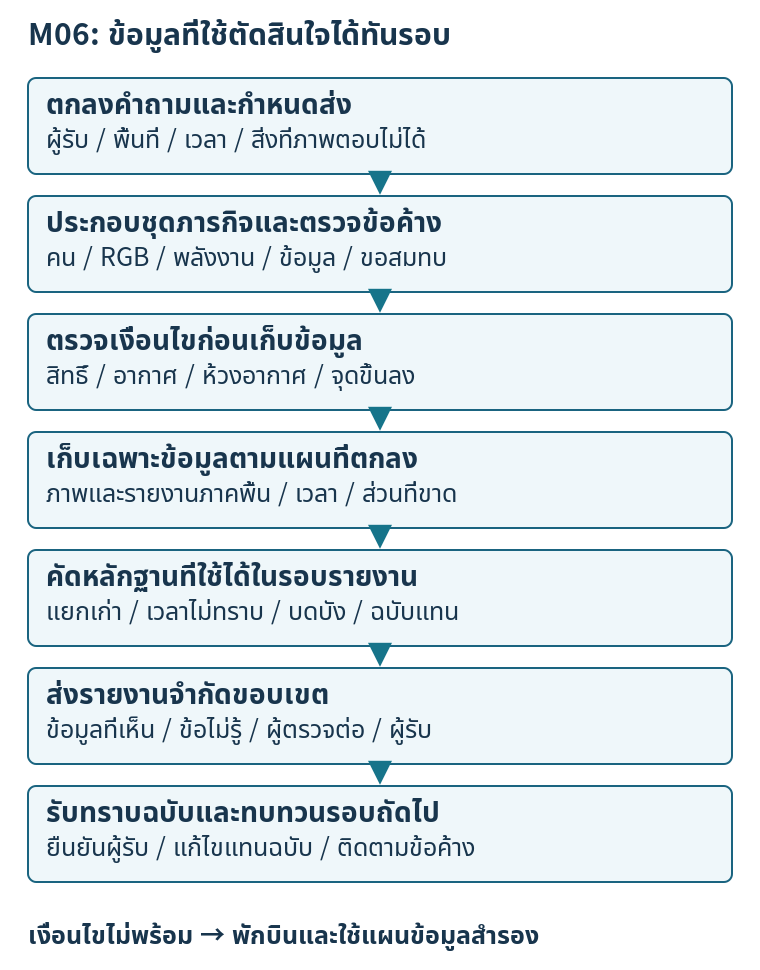
Diagram explanation: when data is insufficient, send what can be answered together with the outstanding items, or hold that claim, and then request more evidence. Open the full-size process
1. Agree the question and the use of the data
Record the recipient, the decision, the area of responsibility, the cutoff, the deadline, the acceptable freshness, the file format, the language and the backup channel. State whether the recipient wants a quicklook (an image/preliminary observations) or an orthomosaic (a geometrically corrected mosaic), and what must be checked further before use. Ask the recipient whether a partial list is sufficient for the first brief. Separate the permissions of the operational version and the public version from the moment the task is received.
2. Organise people, equipment sets and assistance
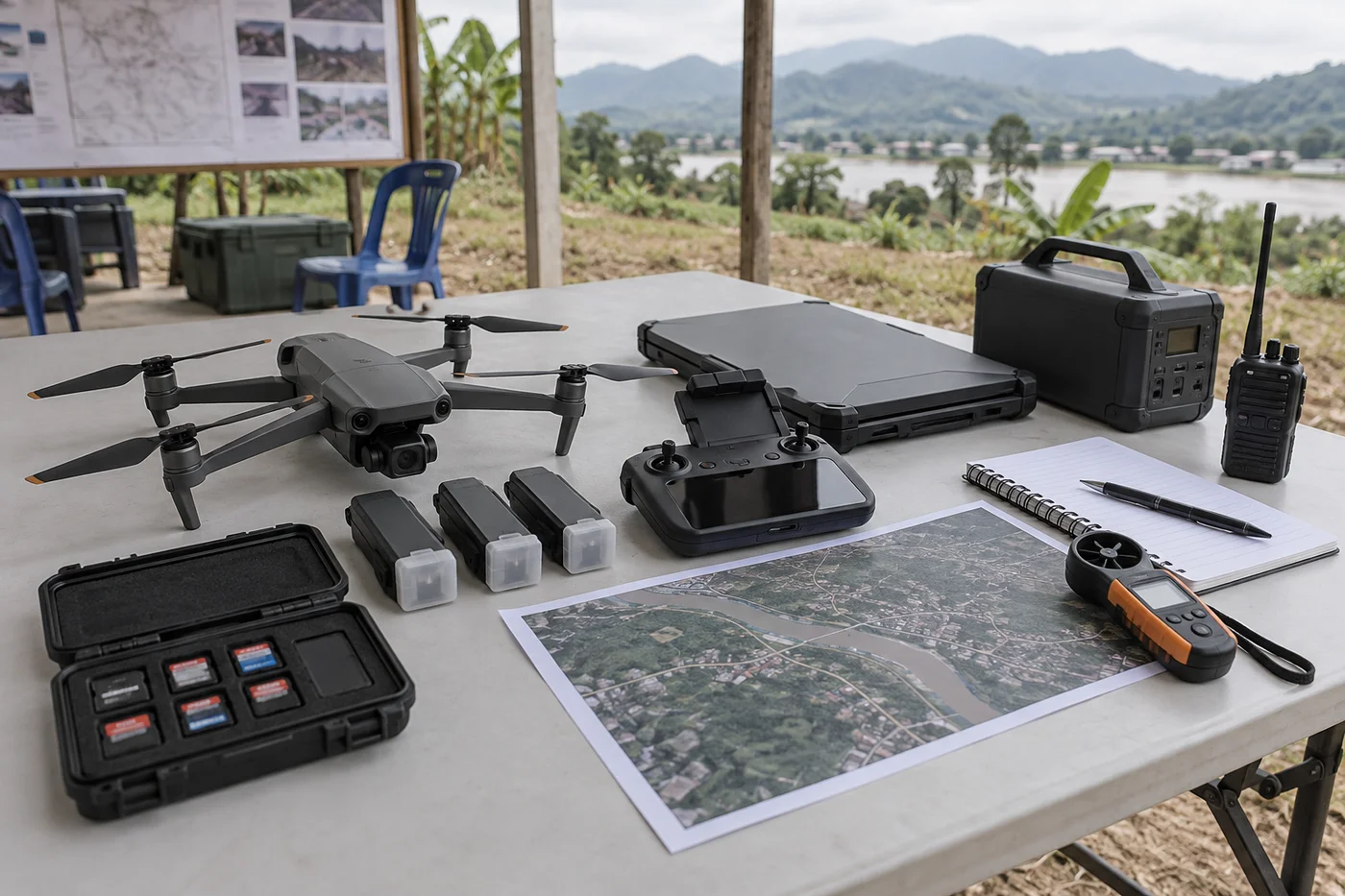
An image created with AI; not an equipment list that has been checked for compatibility or performance. Open the full-size resource set image
Assign the person who receives the request, the airspace/area coordinator, the data-collection supervisor, the person who receives and checks metadata, the analyst, the cross-checker, and the person who hands over and follows up on acknowledgement. If one person holds several roles, identify the cross-check points and request extra checkers as needed. Humanitarian drone work must take into account flight coordination, data, and public trust, in accordance with WFP: Global co-operation in humanitarian drone use
The resource register must include the aircraft/camera set and the manual for the actual model, the control station, links, power, recording media with free space, the image-inspection/processing machine, software and versions, original and backup storage, and the method for sending files when the network fails. Include in the costs the time to request permissions, coordinate, check data, correct reports and follow up with recipients. Lessons from WeRobotics: Localizing humanitarian drones indicate that processing and communication can be bottlenecks, so both analysts and coordinators must be requested, not only an aircraft.
Do not assume that a GIS expert, a structural inspector, a launch/landing area, a ground team, connectivity or batteries are ready. State what must be requested, who is responsible, the status of the awaited reply, and the effect on the scope of work . If any is missing, reduce the scope, send the data that is permitted with its limitations, or use a non-flying alternative. Do not have a ground team enter a risk area to fill gaps according to a worksheet.
3. Choose the method and coordinate before collecting more
A multirotor is worth considering for spot-specific views when the launch/landing area, the team and the manual support it, whereas a fixed-wing needs the launch/recovery area, the flight path and the camera limitations to be checked; a VTOL needs the take-off/landing phase, the mode transition and the fixed-wing phase all to be checked. No type is best for every event. Evaluate access, payload, control method, support and quality checks by the same criteria, and do not state flight range, energy or endurance that lacks evidence from the actual set.
RGB helps record what is visible; thermal answers heat-related questions under specific inspection conditions and does not see through occluding objects; multispectral requires a question about wavelengths and calibration; LiDAR requires position/attitude, calibration and supporting result checks. Do not add a sensor merely because it is available. Also compare with satellite imagery, existing data and permitted ground reports.
A real flight must check the set's manual, the current conditions, the area, and the permissions and restrictions in force that day. Coordinate rescue helicopters and other UAVs through the person responsible for airspace, and set the status reporting and the conditions for suspending work according to the approved plan. This lesson does not set a fixed altitude or weather criterion. Check CAAT UAS Portal and the responsible agencies again. The news item CAAT Announcement No. 15 is an example that restrictions can change; it is not evidence that this announcement is the latest or that it authorises this work. The map written in this lesson does not authorise flying
4. Receive data and keep the originals
Every observation must have an ID, version, sector, source, capture time with time zone, receive time, coverage, evidence ID, observation, check status, sensitivity and superseding version. Use the full ISO 8601 date and time; do not guess the time zone from the place. If a field is missing, leave it blank with the reason. Separate data that arrives after the cutoff from this brief, but keep it for consideration in the next version.
5. Check time, version and usable parts
Check the schema against the time sequence, then check revision/supersedes and the visible parts before filtering “current data used to compose the brief”. Old data can be used as context when clearly separated. New data that is occluded may have no usable evidence. Do not fill empty areas with a conclusion that no problem was found. The reviewer must be able to trace from the statement back to the source evidence, while preserving old versions and the reasons for corrections.
6. Make a brief with unknowns and additional requests
Show the cutoff, the version, the recipient, the usable observations and their age, the parts that are old/missing/wrong/superseded, the areas still unknown, and the additional checks that answer the question. State the owner of each additional request and the status of awaiting support. There is no area size from which to compute coverage %; do not create a percentage from the number of sectors or rows. When the data is incomplete, a limited-scope brief can be sent by the deadline, with the full mapping work separated as a follow-up with QA and a newly agreed deadline.
7. Hand over by recipient and follow up on acknowledgement
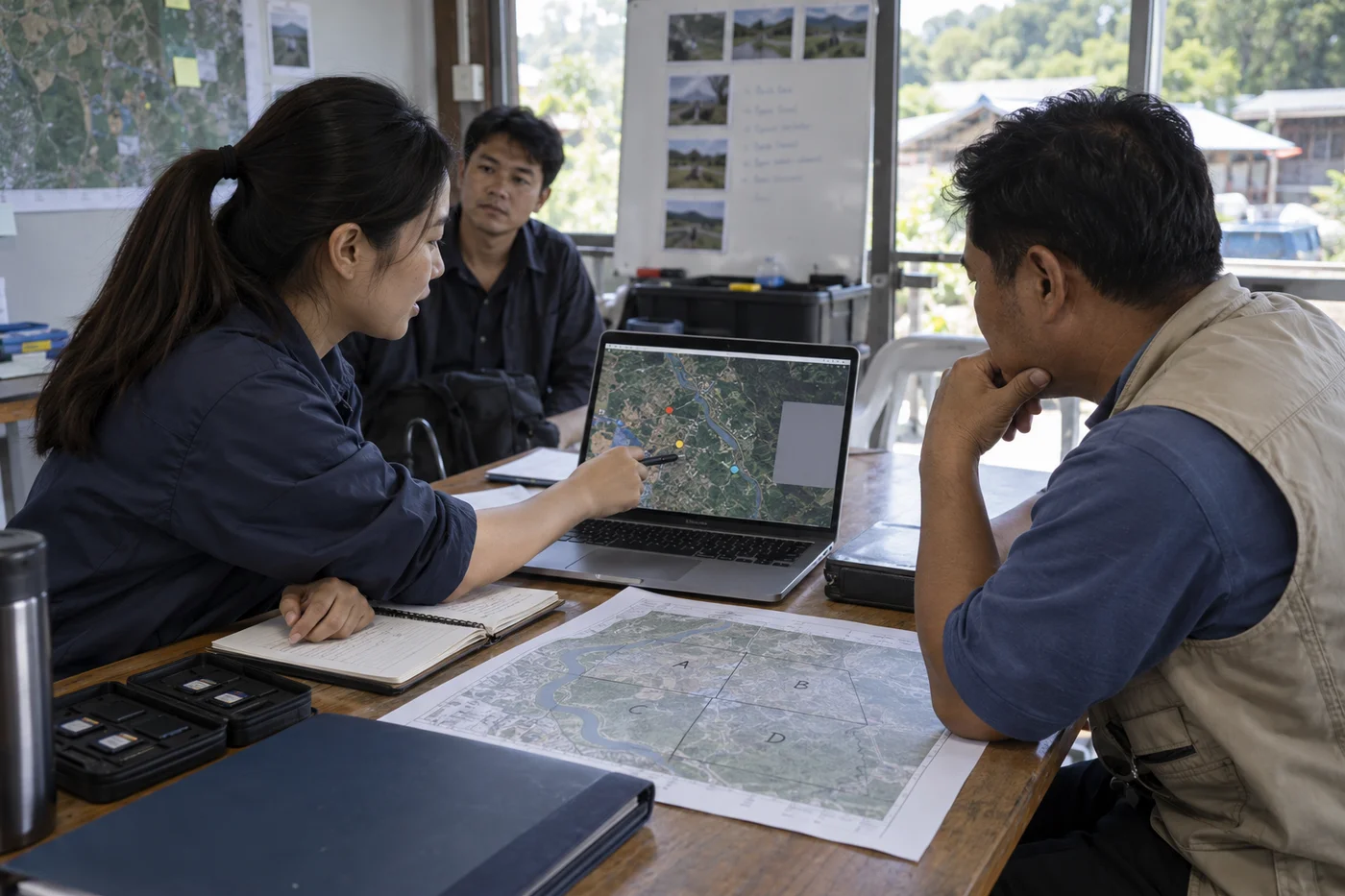
An image created with AI; not a handover or a result of real learner assessment. Open the full-size handover image
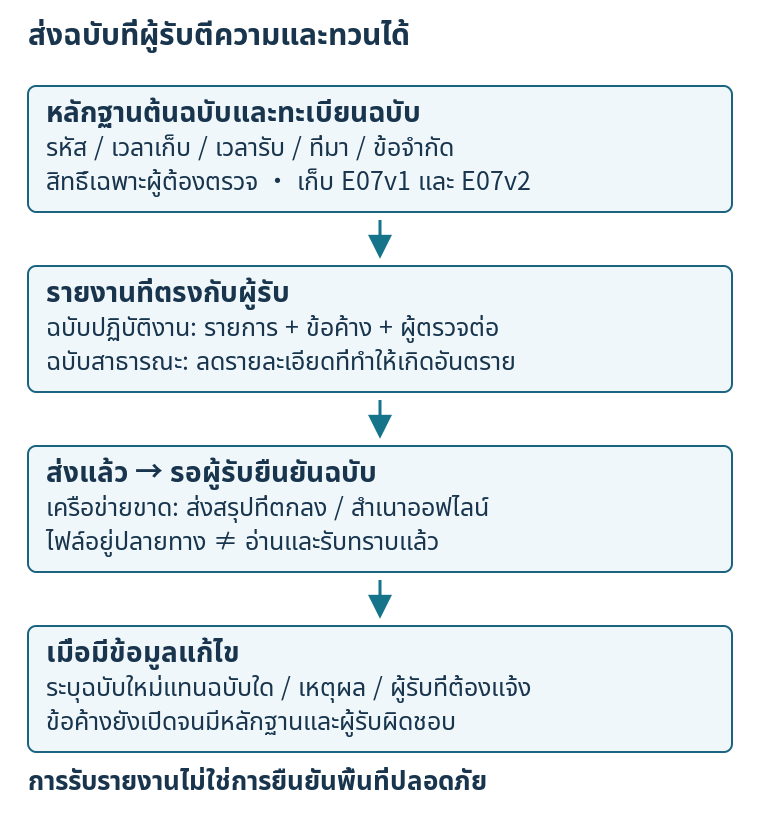
Diagram explanation: a report correction must state which version it replaces and ask the recipient whether they have acknowledged the new version and the outstanding items. Open the full-size handover diagram
Make a manifest stating the report ID/revision, cutoff, files, evidence ID, limitations, recipient and permissions, together with a record of the sender, channel, send time and receive time (received) separate from acknowledgement time (acknowledged) at which the recipient has reviewed the version and the outstanding items. If there is still no reply, keep “awaiting acknowledgement” and do not close the task. If the version is revised, state what it supersedes, the reason, and the list of original recipients who must be notified.
The operational version is sent only to those who have a duty related to the purpose. The public version reduces personally identifying information, detailed locations, or data that could cause harm in the context. Keep the access-restricted original and check the reasons for access. Data and trust can affect the people receiving assistance, according to ICRC: Digitharium month 4 , and the page OCHA Data Responsibility Guidelines 2025 is used only to confirm that a resource announcement for the 2025 edition exists; it does not cite detailed requirements from a PDF that could not yet be read.
When a recipient asks for images or text to communicate further to the public, read S1: From incident-coordination data to media for the public. Making a public version of a report is not a confirmation of image rights, captions, or the publication of new media work.
When the network is unavailable, prepare a small text report and a manifest on permitted offline media, keep the original and the hand-over times, check the recipient/version before importing, and send large files when the channel is ready. Ask which secure media, carriers and backup channels actually exist; do not assume there is a cloud or a radio that can send images. the emergency communications base helps separate aircraft control, messages and files.
Shared case: a flood brief for four sectors
All places, team names, times and data in the following case are invented for practice . Sectors A/B/C/D are abstract area labels with no real coordinates. The request uses a cutoff of 2026-10-11T10:00:00+07:00 and sends the first brief no later than 2026-10-11T10:30:00+07:00 . The author sets the age as 0–60 minutes, inclusive of the boundaries for practice only; it is not an SLA or freshness advice for a real disaster. Data must be received no later than the cutoff, and the capture time must have a time zone. Check that the capture time is not in the future and not after the receive time.
Compare three options under the same question: the observations and gaps for the first brief. The times of 10:20/10:50 below are estimates invented in the exercise and not measured performance.
| Same criteria | A: spot RGB + ground data available safely | B: full-area RGB orthomosaic | C: no flight; use existing data + ground reports |
|---|---|---|---|
| Result that answers the question | A quicklook and a partial list of follow-up checks | A mosaic for area context after QA | A list from the evidence that can be accessed, and the outstanding items |
| Meets the 10:30 brief? | Assume it is sent at 10:20, so in the exercise it is in time | Assume it is offered at 10:50, so it is not in time for the first brief | It can be assessed from what exists; no additional data receive time is invented |
| Coverage/freshness | Spot only; the time and the occluded parts must be kept | Completeness, time and QA must be checked; the name “full area” is not accepted as a guarantee | Limited by the time and coverage of each source |
| People/set/support | Coordinator, pilot with the actual set, metadata/image checker and sender | Additional people, compute and QA time for the mosaicking must actually be requested | Request data permissions, a checker, and access to the ground report |
| Conditions and fallback | Check permissions, conditions and airspace; if not ready, use C | Do a follow-up when newly agreed and ready; use A/C for the first brief | Use only what is permitted/accessible; do not send people into risk areas |
| Limits that cannot be answered | Depth/current/structural safety/hidden people | The same items, and QA results that do not yet exist | The same items, and areas with no data |
Choose A as the exercise's proposal when the real conditions pass or C when flying/access is not ready, disclosing the unknowns. Both may partly answer the first brief. B is a follow-up option; learners are not forced to choose a drone to pass the rubric. This activity involves no actual flight or mosaicking.
Filtering the nine items without letting gaps disappear
Download disaster-assessment-observations.csv and the schema/rules explanation ; the data has 9 rows from 8 logical IDs because E07 has two versions. evidence_id is only a placeholder reference name; there is no real evidence image, and no depth data, coordinates or area size.
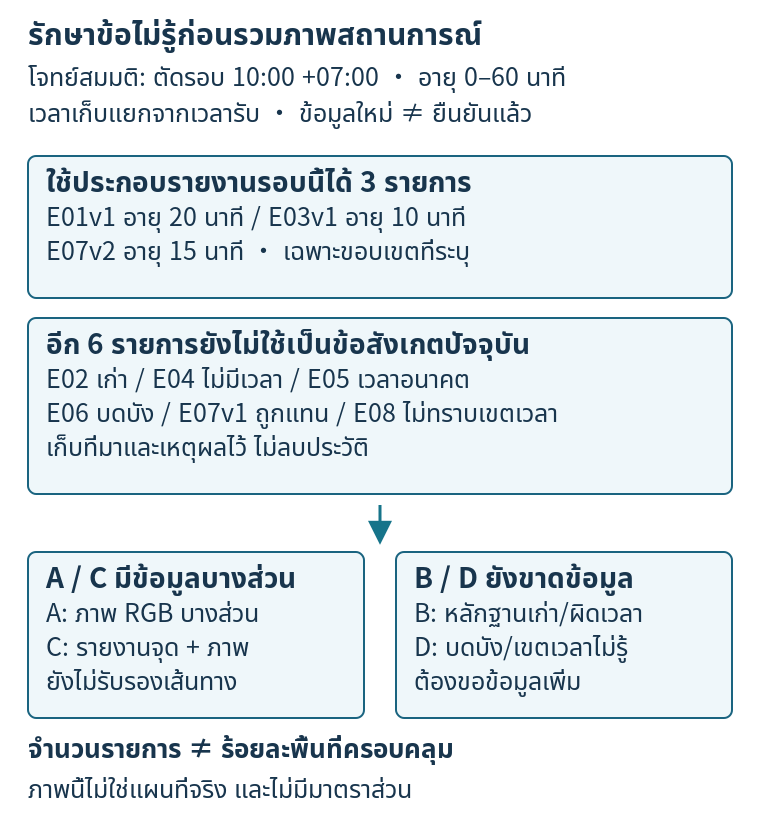
Diagram explanation: A/C have partial or single-point data, B has old data, and D has no usable evidence. Filtering by time is not a confirmation of truth. Open the full-size evidence-filtering diagram
| Item / sector | Time and age at the cutoff | Result for the current brief | Reason/outstanding item to keep |
|---|---|---|---|
| E01v1 / A | Captured 09:40+07, received 09:48+07; 20 minutes | candidate | Water partly seen on the road; observation_only |
| E02v1 / B | Satellite 07:00+07, received 08:00+07; 180 minutes | Not in current | Stale, over 60 minutes; keep as old context |
| E03v1 / C | Report 09:50+07, received 09:55+07; 10 minutes | candidate | point_only: a report of water near the bridge approach; not confirmed and not a structural inspection |
| E04v1 / A | Capture time blank, received 09:45+07 | Not in current | missing_capture_time: age cannot be computed; request the source time |
| E05v1 / B | Captured 10:10+07, received 09:59+07 | Not in current | invalid_future: after the cutoff, and the capture time is after the receive time; do not correct the time yourself |
| E06v1 / D | Captured 09:35+07, received 09:50+07; 25 minutes | Not in current | occluded: no usable evidence region; keep D unknown |
| E07v1 / C | Captured 09:20+07, received 09:27+07; 40 minutes | Not in current | superseded by E07v2; keep the original version and evidence |
| E07v2 / C | Captured 09:45+07, received 09:56+07; 15 minutes | candidate | Corrects the caption/marker from v1. The evidence has differently named items, so it is not confirmed by the new version alone |
| E08v1 / D | Report 09:30 with no time zone, received 09:55+07 | Not in current | missing_timezone: do not guess +07 or compute the age as if it were known |
The full date of every time is in the CSV; E08 deliberately has an ISO date/time but no offset, so it fails the time-zone condition. This yields candidates: 3 items: E01v1, E03v1, E07v2, with ages of 20, 10 and 15 minutes Their status is still an observation or an unconfirmed report. Summary: A partial, C partial/single-point, B old, D still unknown. There is no blanket coverage %, and it is not concluded that A/C are safe.
An example of a suitable brief: “Version M06-BRIEF-v1, cutoff 10:00+07, has 3 current observations. A: something that looks like water on part of the road was found. C: there is a report of water near the bridge approach and a revised observation. B must be updated because the data is old. D has no usable evidence. The depth, the current, the safety of the road/bridge, and people who are occluded are not yet known. The coordinator is asked to specify the additional checks that can be done safely. The recipient still needs to acknowledge the version and the outstanding items.” This message must still attach the evidence IDs, the list of exclusions, the permissions and the owner of the follow-up work.
Practise the three roles and check KSEC
K = Knowledge, S = Skills, E = Ethics, C = Character (personal attributes). Use according to the category's KSEC framework E/C assess the reasoning and the behaviour observable in the activity, such as disclosing unknowns and responding to challenges with the revision history; they do not judge personality or permanent virtue from a single worksheet.
B Beginner: make a brief that the recipient can review
Use worksheet B to read the CSV, filter all nine rows, compare A/B/C, then write a brief with the unknowns. Have the reviewer raise at least one challenge, such as “does new data mean true?”. Keep the before/after versions and the reasons. If not ready, review the lessons specified for each aspect before repeating the short activity. Check with rubric M06
| ID / Dimension | Prerequisites and how to fill them | Outcome to be demonstrated | Activity / evidence checked |
|---|---|---|---|
| APP-M06-B-K01 / K | Can separate what is seen from conclusions; if not yet done, review observation and then write one pair | Explain the seven terms and the limits of the question | Write definitions of the brief, the recipient/purpose, and the limits that cannot be answered |
| APP-M06-B-S01 / S | Can read dates/offsets and subtract times; practise two rows from rapid-mapping | Filter the nine rows and compare the options by the same criteria | A table with 3 candidates with ages 20/10/15, the other six rows with reasons, and A/B/C |
| APP-M06-B-E01 / E | Can state unknowns/permissions; review data-handover then correct one publication statement | Limit claims and data to match the evidence/recipient | Respond to the case of a request for a “safe bridge” and a request for a detailed public image; keep the reasons |
| APP-M06-B-C01 / C | Can keep the original and accept challenges; practise teamwork by swapping the proposer/reviewer | Respond to challenges and follow up on outstanding items truthfully | Brief before/after, the challenge, the reply, the owner of the follow-up work, and the waiting status |
O Operator/planner: send a partial result with follow-up work
Use worksheet O to make a seven-step plan, a register of people/resources and support gaps, with proposals A/B/C; check the same shared list as B, then make a simulated manifest and delivery log that separate received/acknowledged. Have the successor review the additional requests, the version and the permissions before revising the plan. This activity creates a plan and documents; it does not confirm that a team or channel is actually ready.
| ID / Dimension | Prerequisites and how to fill them | Outcome to be demonstrated | Activity / evidence checked |
|---|---|---|---|
| APP-M06-O-K01 / K | Knows the roles and requests; review mission brief and coordination then match people to evidence | Explain the method, the set, and the conditions that must be requested before use | Reasons for aircraft/payload/non-flight, and a register of questions for supporters |
| APP-M06-O-S01 / S | Can make a plan and filter by time; review preparedness then practise filtering two rows | Organise a plan that meets the brief with a limited scope and a handover that can be traced back | Seven-step plan, candidate/exclusions manifest and version, and received/acknowledged kept separate |
| APP-M06-O-E01 / E | Separate recipient permissions and limitations; review data-handover then make two audiences | Deliver results without hiding unknown areas, and limit data to suit the recipient | Operational/public versions, the reasons for reducing data, A/C partial, B old, D unknown |
| APP-M06-O-C01 / C | Can review duties and outstanding items; practise teamwork by having the successor read it back | Follow up on outstanding items and challenges until the person responsible and the suspension conditions are known | Plan before/after, the successor's reply, the owner of support gaps, and awaiting acknowledgement |
D Developer/tuner: change the data filter without inventing evidence
Use worksheet D to propose changing the data filter and the offline manifest generator from baseline v0, which selects by receive time alone, to v1, which separates capture time/time zone, coverage and revision. v0/v1 are hypothetical logic for the exercise; no adjusted service is in this set. Expected v0 accepts all 9 rows because they were received by the cutoff, including both versions of E07; expected v1 filters 3 candidates and retains the other 6 rows with reasons. It does not modify any flight system, CPX-Sim hardware or service. The activity is a requirement/interface/test/rollback plan; running the real system remains “not yet tested”. If a learner builds the checker later, they must attach their own actual results/log.
Define R01 schema/time/enum and errors; R02 cutoff/age 0–60 inclusive of the boundaries/received by the cutoff; R03 revision/supersedes/original evidence; R04 usable coverage/unknown/verification not raised to confirmed; R05 audience/manifest/received/acknowledged/offline; and R06 baseline/version/restoration. Interface: the input accepts 12 CSV columns in UTF-8 as data, not as commands; the output separates candidates, excluded items with a reason, unknown sectors, provenance and delivery states, and must keep null/timezone_unknown and not insert a default value that would let an item pass.
Test the normal nine rows; age 0/60/over 60; received exactly at the cutoff/after the cutoff; missing offset/blank time/future time; duplicate items; a wrong superseding version or one pointing to a record that cannot be found; a wrong new version that must not silently replace the original; occluded; a wrong enum; and a publication request beyond the permissions. Compare the expected v0/v1 on the same fixture, with the evidence level. Keep actual blank or “not yet tested” until a check has actually taken place. Roll back to the baseline when it filters wrongly, raises a status to confirmed, deletes history, or sends data beyond the permissions. Keep the report of the wrong version, notify the checkers/recipients who received it, and check the result after the rollback.
| ID / Dimension | Prerequisites and how to fill them | Outcome to be demonstrated | Activity / evidence checked |
|---|---|---|---|
| APP-M06-D-K01 / K | Can read schema/offset/null/version; review testing then explain one invalid case | Identify R01–R06 with inputs/outputs and failure states | The requirement/interface states the 12 fields, the time rules, versions, coverage and permissions |
| APP-M06-D-S01 / S | Can write expected values against a baseline; review integration then do two boundary cases | Tie the requirements to normal/invalid/boundary/before-after/rollback | A test matrix with expected/actual separated, keeping the six exclusions and the three candidates |
| APP-M06-D-E01 / E | Can separate the plan from test results and permissions; review evidence report then correct one claim | Report the evidence level and access without inventing results/times | State actual results that have not been run as such, do not guess offsets, and do not claim readiness from a fixture |
| APP-M06-D-C01 / C | Can keep the baseline and answer issues; practise teamwork by having a peer challenge the test plan | Takes responsibility for fixing/rolling back the version and notifying recipients of wrong results | Baseline issue log before/after, the trigger, who rolled back, the checker, and the method of review after the rollback |
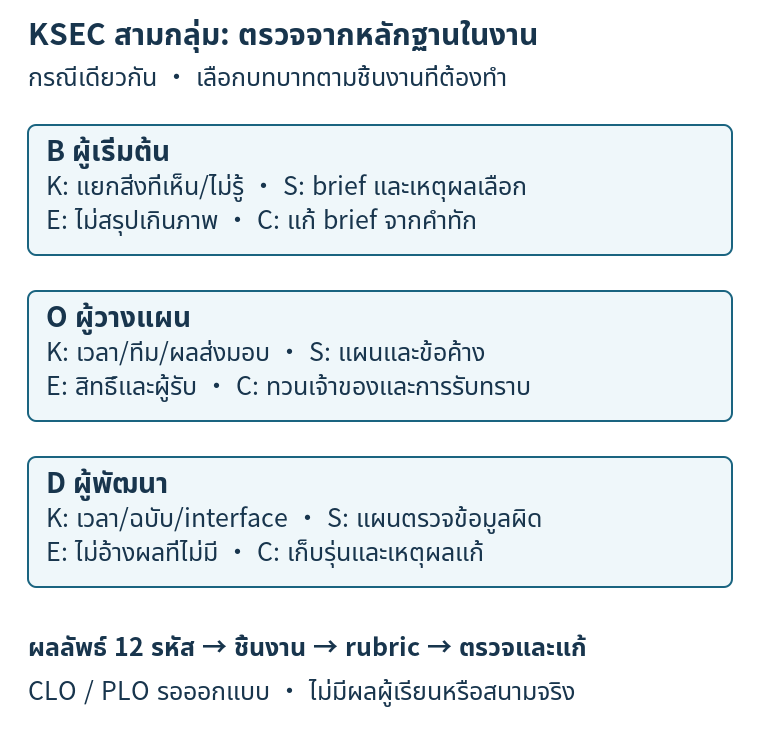
Diagram explanation: assess the 12 codes from the actual evidence of the activity. E/C use events that were recorded and can be practised again, and no permanent label is attached. Open the full-size KSEC diagram
Acceptance criteria for the work product and its further use
Check according to the rubric with pass/fail examples for each code . The result is evidence meets the criterion / needs more practice / no evidence yet . Record the criteria version, the reviewer, the reasons and the follow-up work in the shared KSEC log . A passing S example filters all nine rows to get three candidates and keeps the reasons for the other six rows; a failing example chooses E06 because it is fresh and then says D has no water. A passing E example discloses the unknowns and reduces the data according to the recipient; a passing C example has a challenge, a reply, the before/after versions and the owner of the outstanding item. Do not pass someone because they filled in every field, finished reading, or chose an expensive aircraft.
The codes APP-M06-{B,O,D}-{K,S,E,C}01, 12 in total, are in curriculum-mapping.csv with a URL for each role. CLO/PLO are still blank and marked pending_design for curriculum design later. There are no learner trial results to certify effectiveness. Synthetic data, AI images and worksheet check results do not prove a real flight, safety, field readiness, or that a learner passes. The team, the actual set, the conditions, the area, the permissions, the data rights and the acceptance of the work of a real mission must each be checked separately.
Download the explanation of the set and the licence, the observations CSV, worksheet B, worksheet O, worksheet D and rubric . Read more of the basics at the disaster-management library or go back to the mission overview
When the brief is to be used to set up another unit's work, read S1: Handover chart for assess → search → logistics to separate observations, inspection requests, and requests for supplies that must be re-confirmed.
If a request for current data competes with search and logistics work in the same period, use the three-request card and shared resources to practise separating a brief from existing data from additional collection, without reserving sets/teams whose owner has not accepted.
Provenance, version and evidence limits
Content version M06 1.0 · compiled/reviewed against the original HTML sources on 11 October 2026 · prepared by PK-Research / Drone-Hub. The sources below support the principles and context; they are not test results of this mission. The cutoff, freshness, deadline figures and the estimates of the options are all assumptions of the author.
- WFP, Mapping and geospatial analysis in emergency, 27 August 2025: the original guidance on spatial products and multi-source data for decision-making
- WFP, WFP boosts global co-operation in humanitarian drone use, 4 February 2021: an agency news item on flight coordination, data and trust; not a guaranteed performance
- WeRobotics, Localizing humanitarian drones, 1 February 2018: a record of the organisers' exercise experience on local operators, analysis and communication; not a new experiment of this lesson
- ICRC, Digitharium month 4, 14 May 2021: original context on trust and the harm that can arise from data
- OCHA Centre for Humanitarian Data, Data Responsibility Guidelines 2025, 20 February 2025: reads the HTML page of the resource announcement; uses only the scope of the announcement and does not cite details from the PDF, which could not yet be checked
- CAAT, News announcement No. 15, 6 February 2026 and UAS Portal: original channels for re-checking in real planning. The portal requires JavaScript; one news item is not used to confirm the latest rules or an authorisation.
- The base earlier flood lesson is used to separate images from models and ground data. The GISTDA link n_id=8951 could not be opened in this round of review, so it is not claimed to have been fully re-read, nor is HAND taught further from a source that could not be checked.